
It is an understandable assumption: an AOC or DAC cable looks more specialised than a standard patch lead, so it must make a networked audio system sound better. It does not. A correctly operating network cable carries data between compatible ports. It is not an audio enhancement stage, and it cannot add detail, widen imaging, or change the tonal balance of the audio being reproduced.
That does not make cable selection irrelevant. In an Audio-over-IP installation, the wrong interconnect can create link failures, packet loss, or interruptions that are very audible. The practical goal is dependable data delivery for the actual ports, distance, and topology—not a different sound signature.
No—AOC and DAC Cables Do Not Improve Audio Quality
AOC and DAC cables do not improve audio quality. If the network path and endpoints deliver the intended audio data correctly, changing from one compatible cable type to another should not alter the audible programme material.
Network audio is transmitted as digital data. The receiving endpoint reconstructs and processes that data according to the audio system’s protocol and configuration. An AOC (active optical cable) or DAC (direct attach copper cable) sits below that process as the physical interconnect. It either establishes and maintains the required network link, or it does not.
Buyers sometimes mistake a reduction in faults for an improvement in sound. Replacing an unsuitable or failing link may stop clicks, dropouts, or mute events. That is a reliability correction, not an upgrade in inherent audio fidelity. If a system sounds wrong while the link is stable, investigate the source, DSP, endpoint settings, gain structure, clocking arrangement, and loudspeaker chain before blaming the cable.
What Actually Determines Performance in an Audio-over-IP Network
Network data delivery, synchronization, and endpoint configuration affect the listening result
Audio-over-IP performance depends on the whole system. Network configuration has to support the traffic pattern and timing requirements of the audio platform in use. Switch settings, multicast handling where required, available bandwidth, and congestion elsewhere on the network can all matter. So can the timing and synchronization design specified by the audio system manufacturer.
At the endpoints, sample-rate choices, channel routing, DSP presets, input sensitivity, output level, and firmware compatibility can affect what you hear. A cable cannot correct a receiver set to the wrong programme, a source that is clipping, or two devices configured for incompatible modes.
AOC and DAC cables provide the physical network link, not an audio enhancement stage
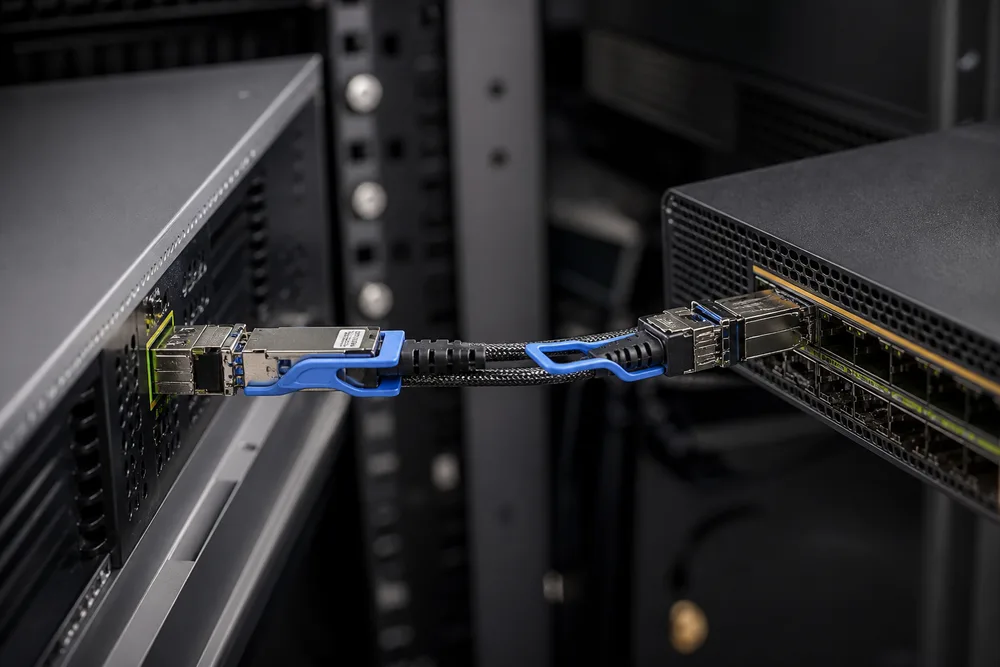
The cable’s job is narrower but still essential: it connects electrical interfaces between devices. A DAC uses a copper twinax assembly. An AOC incorporates optical components within the cable assembly. Both are commonly used for high-density equipment links where the connected hardware supports the relevant form factor and data rate.
OPTONE presents AOC and DAC cables for data-center interconnects from 10G to 400G, including server-to-switch applications. That positioning matters. These assemblies are typically selected for compatible high-speed network equipment, not as replacements for ordinary audio connectors or Ethernet ports that use a different interface.
How AOC, DAC, and Transceiver-and-Fiber Links Differ
The right choice starts with the port, then the run—not with a claim about sound.
- DAC: A direct attach copper assembly has fixed ends and is generally a sensible option for short, supported equipment-to-equipment connections. Its copper construction can make routing less convenient in crowded cable paths than a lighter optical assembly, depending on the cable build and installation.
- AOC: An active optical cable also has fixed ends, but carries the signal optically within the assembly. OPTONE lists AOC lengths from 1 m to 100 m. It can suit longer supported rack, row, or equipment-room links without selecting separate modules and fiber.
- Separate transceivers and fiber: This approach uses pluggable optical modules at each end and a separate fiber cable. It introduces more components to specify and manage, but gives you more flexibility around fiber type, cable routing, and future replacement of individual parts.
An AOC is not simply a fiber patch cable with modules added later; it is a complete assembly. That distinction is often missed during maintenance planning. If one end or the cable is damaged, the assembly is normally treated as one item. Separate optics and fiber can be more adaptable where plant routes, patch panels, or serviceability drive the design.
Planning Server-to-Switch Links for Compatible Network Audio Systems
Confirm port form factor, required data rate, host-platform compatibility, and coding
First, establish what the two ports actually are. A network audio endpoint with an RJ45 interface is not a candidate for a QSFP28 AOC cable. Likewise, a server or switch port designed for a particular pluggable form factor must receive an assembly built for that form factor and its required speed.
Check the host platform’s compatibility guidance and required cable coding before placing an order. A cable can be physically insertable yet fail to link if its identification is not accepted by the switch or server. This is one reason buyers should state the exact equipment make and model at RFQ stage, rather than requesting a cable only by data rate.
Choose link length, routing needs, and breakout topology before selecting an assembly
Measure the installed route, including vertical drops, side routing, bend management, and service allowance. Do not order to the straight-line distance between racks. Too little length puts strain on connectors; too much cable creates congestion and makes fault tracing harder.
Breakout requirements need equal care. A 400G AOC breakout cable may be appropriate only where both the host port and the intended lower-speed endpoints support the planned breakout arrangement. It is not a universal way to multiply ports. Confirm the switch configuration and port mapping before the cable is purchased. For projects that need separate optics instead, review fiber transceiver and network interconnect options alongside the cable plan.
How to Isolate AOC and DAC Link Faults After Installation
Start with the link state, not the listening room. Check that both ends are fully seated and that the ports show the expected link status. Verify speed, breakout configuration, and any platform messages about unsupported or mismatched modules. A port disabled by configuration will look much like a cable problem until you inspect the switch.
Then isolate one variable at a time. Move the suspected assembly to known-good compatible ports, or test a known-good compatible assembly on the original ports. Inspect the route for pinching, excessive tension, tight bends, or connector latch damage. For an active optical cable, avoid assuming that a dark-looking cable is passive copper; its end type, orientation markings, and supported host requirements matter.
If a link is up but audio is interrupted, inspect network counters and the audio system configuration before replacing the cable. Packet-related symptoms may originate from congestion, incorrect traffic treatment, synchronization issues, or endpoint settings elsewhere in the path.
Common Questions and RFQ Details for AOC and DAC Cable Projects
Can I use an AOC or DAC cable directly between any two network devices? No. Both ends must have compatible physical ports, supported speeds, and acceptable coding. The devices must also support the intended link or breakout mode.
Is AOC better than DAC for network audio? Neither is inherently better for audio quality. Choose based on port compatibility, route length, cable management, and the physical installation. The audio platform and network design determine the listening result.
What should an RFQ include? Specify the required form factor, data rate, cable length, straight-through or breakout construction, equipment make and model at each end, required coding, quantity, and delivery destination. Mention any rack-routing constraint or existing compatibility issue. Those details allow a supplier to assess a compatible assembly rather than make a guess. You can provide them through an AOC and DAC cable RFQ for OPTONE review.
Can a cable fault cause audible problems? It can cause interruptions if it prevents stable network delivery. It does not selectively make a working digital audio stream warmer, clearer, or more detailed. AOC and DAC cables improve audio system reliability only when they are the correct, compatible link for the installation.
Need help selecting the right product?
Share your switch platform, link distance and quantity with an OPTONE engineer.
Talk to an Engineer →