
- OPTONE supplies standalone Ethernet-to-fiber media converters and card-type systems for commercial, industrial, PoE, WDM, Gigabit, and 10G applications.
- The managed OPT-MR16-2 is intended for concentrated rack deployments where remote visibility matters more than the lowest initial hardware cost.
- Card compatibility, fiber interface, copper-port requirements, power input, and the required management card should be confirmed before purchase.
- For international projects, document the complete link path: connector type, fiber type, distance requirement, Ethernet rate, power arrangement, and monitoring expectations.
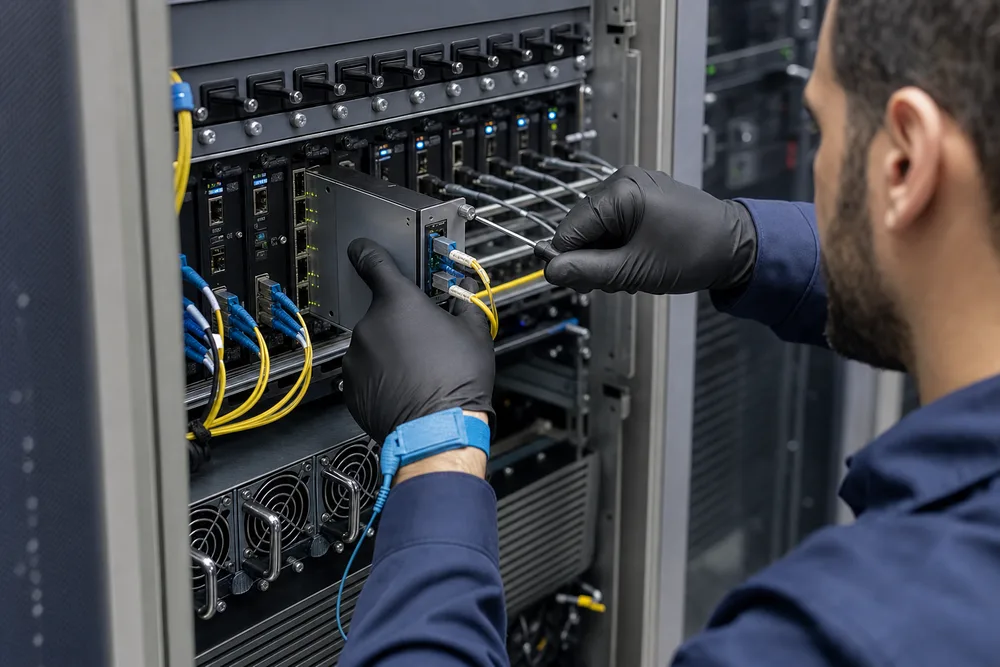
Key Takeaways for Buyers of China Fiber Media Converters
A media converter is often bought to solve one very ordinary problem: an existing RJ45 Ethernet device has to reach a fiber backbone without replacing the endpoint. The purchase becomes less ordinary once dozens of those links land in the same telecom room. That is where chassis design, alarm visibility, card selection, and power planning start to matter more than the converter’s headline Ethernet speed.
China fiber media converters cover a broad product class, not one fixed interface or operating condition. A small unmanaged converter can be the right answer at a cabinet, camera pole, or remote machine. A card-type chassis is usually the better answer where many links terminate at a central location and technicians need a tidy, serviceable rack. Buyers regularly make the mistake of choosing the chassis first, then discovering that the required converter card, optical connector, wavelength plan, or power arrangement does not match the field end.
OPTONE Technology Limited has operated from Shenzhen since 2003 and serves telecom operators, data-center operators, ISPs, enterprise network teams, and international buyers. Its portfolio spans optical transceivers, converters, Ethernet switches, and AOC/DAC cables. For a centralised conversion project, start with the actual traffic path and fault-handling process, then select the physical platform. That order prevents a surprisingly expensive mismatch.
OPTONE Fiber Media Converter Range: Standalone, Industrial, PoE, WDM, Gigabit and 10G Options
OPTONE’s converter range is built around Ethernet-to-fiber conversion, but the deployment environments differ sharply. Commercial standalone units suit indoor network extensions where normal facility conditions and local access are acceptable. Industrial converters are for projects that require a more application-specific approach to installation conditions and power. PoE converter options matter where a remote powered device must be supported over copper at the edge. WDM models address fiber-pair constraints by carrying directions over separate wavelengths, while Gigabit and 10G options serve links that need more throughput than older Fast Ethernet infrastructure.
The useful question is not, “Which converter is best?” It is, “What must this specific link preserve?” Check the copper interface used by the attached equipment, the optical interface expected at the far end, and the fiber plant already installed. Single-fiber WDM links need paired wavelength logic at opposite ends. Standard two-fiber links need matched transmit and receive paths. A connector mismatch can stop an installation before any network configuration begins.
For larger aggregation projects, the OPTONE managed 16-slot media converter chassis provides a central home for card-type converters rather than scattering individual power adapters through a rack. It is a practical distinction: one arrangement is easier to inspect and replace; the other may be more appropriate when endpoints are physically distributed.
| Deployment option | Typical fit | What to verify before ordering |
|---|---|---|
| Standalone converter | One or a few dispersed Ethernet-to-fiber links | Local power, mounting, copper speed, fiber connector, and optical link pairing |
| Industrial converter | Site-specific edge installations | Installation environment, input power, enclosure arrangement, and device interface |
| PoE converter | Remote powered network devices | PoE requirement of the endpoint and copper-side role |
| Managed card chassis | Central rack aggregation of multiple converter links | Card compatibility, management card, chassis power, monitoring method, and spare-card plan |
Standalone Converters vs Unmanaged Chassis vs the Managed OPT-MR16 System
Standalone converters win on simplicity. Put one near the copper device, place the matching unit at the other end, connect the fiber, and maintain it locally. This model is sensible for separated buildings, a handful of field cabinets, or replacement work where rack space is not available. The downside appears later: many wall adapters, inconsistent labelling, and no common view of remote faults. A failed link becomes a truck roll, not a dashboard event.
An unmanaged 14- or 16-slot chassis improves physical order. Converter cards sit together, rack wiring is cleaner, and card replacement is quicker than removing individual boxed units. It does not, by itself, provide remote operational intelligence. If the installation is supervised by staff on site and link count is modest, that can be a sensible trade-off.
The managed OPT-MR16 system is for teams that need to know what happened before someone reports an outage. The OPT-M01 SNMP management card is the management component that gives the OPT-MR16-2 its WEB and SNMP remote-management capability. Rather than acting as a passive card holder, it provides a control and visibility layer for installed card-type converters through WEB access, console access, Telnet, and SNMP v1/v2c. That matters in an ISP point of presence, an enterprise equipment room, or a multi-site network where physical inspection is slow and costly.
Managed hardware does have a cost in planning. You need to define who owns the management IP configuration, how SNMP is monitored, and which events merit action. Do not buy management because it sounds better; buy it because the operating team will use it.
How to Configure a Card-Type Fiber Media Converter Chassis for Your Network
A chassis project should begin with a link schedule, not a parts list copied from an old order. Record each endpoint, its copper port, the fiber route, the remote device, and the service that depends on it. That schedule exposes mixed requirements early: one rack may need standard duplex links, WDM pairs for constrained fiber routes, PoE support for edge equipment, and a different Ethernet rate for a high-capacity uplink.
Use the following sequence before issuing a purchase order:
- Map every copper endpoint. Identify its Ethernet interface and any operational feature that must be maintained across the conversion link.
- Audit the fiber plant. Confirm fiber type, available strands, connector style, route condition, and the optical approach required at both ends.
- Select matched converter cards. Pair interfaces and WDM wavelengths correctly. A card that physically fits a chassis is not necessarily the card that fits the link design.
- Choose the chassis operating model. Decide between an unmanaged chassis for local servicing and managed OPT-MR16-2 deployment for remote observation and administration.
- Define power and redundancy expectations. Confirm the required AC/DC power arrangement with the supplier and align it with site practice before equipment ships.
- Plan naming, monitoring, and spares. Label slots against the link schedule, set management conventions, and retain appropriate replacement cards for the installed mix.
Loopback and PRBS functions can be valuable during acceptance testing because they help isolate faults in the physical path and interface chain. Link Fault Pass-Through, commonly called LFP, can also affect how a downstream failure is presented to attached equipment. Those functions should be considered as part of the failure-response design, not treated as tick-box features. Ask how they behave with the card and endpoint combination you plan to use.
OPT-MR16-2 Managed 16-Slot Chassis: Management, Diagnostics and Cascading Design
The OPT-MR16-2 is a card-type, managed 16-slot media converter chassis. Its central purpose is simple: bring multiple fiber/RJ45 conversion links into one rack platform and make those links easier to operate. With the OPT-M01 card installed, the system supports WEB and SNMP remote management, plus CONSOLE and Telnet access. SNMP v1/v2c compatibility allows the chassis to be incorporated into monitoring practices already used by many network teams.
The management scope is more useful than a basic up/down indication. OPTONE identifies diagnostics and environmental monitoring among the platform functions, alongside Loopback and PRBS support. In practice, these capabilities help technicians narrow the problem domain. Is the issue at the copper endpoint, the optical route, the installed converter card, or the chassis environment? They do not replace field testing, and they cannot repair contaminated connectors or a damaged splice, but they reduce blind troubleshooting.
The chassis also supports master/slave cascading of up to four chassis. That design suits installations that outgrow a single frame but still need a coordinated central arrangement. Cascading should be planned deliberately. Set the rack layout, cable paths, management responsibility, and fault escalation process before adding frames. A multi-chassis system without accurate slot records is simply a larger fault-finding exercise.
Read the OPT-MR16-2 managed chassis product details with your proposed converter-card list in hand. The chassis is the platform; the installed cards determine the actual copper and optical interfaces delivered to the network.
Selecting Compatible Converter Cards, Fiber Interfaces, Power Inputs and Management Components
Compatibility has several layers, and buyers who check only slot fit tend to find problems on site. First, verify that the chosen card type is intended for the chassis. Then check the Ethernet side: port format, required rate, and any PoE role if the application needs it. On the fiber side, establish the connector format, fiber construction, the available strand count, and whether the topology requires conventional dual-fiber operation or WDM pairing.
Optical choices deserve more care than they usually receive. A WDM converter at one end must be matched with the correct complementary wavelength arrangement at the other. A mismatched pair may look neatly installed yet never establish a usable link. Dirty connectors, excessive bend stress, poor patch-cord identification, and unrecorded intermediate panels are more common field failures than a defective chassis. Build cleaning and inspection into commissioning.
Power is another early decision. OPTONE identifies AC/DC power among the relevant product terms, but the exact project requirement should be confirmed against the selected chassis and local site standard. Do not assume that a supply arrangement acceptable in one country’s telecom room will suit another customer’s rack, procurement rule, or maintenance practice. State the required input and any redundancy expectation clearly in the enquiry.
Finally, specify the management component. If WEB, Telnet, console, or SNMP monitoring is required, the OPT-M01 management card is part of the system decision, not an optional afterthought. Ask for a compatibility review covering chassis, cards, fiber interfaces, power, and management before finalising the bill of materials.
OPTONE’s Shenzhen Manufacturing Approach for International Fiber Networking Buyers
For global buyers sourcing China fiber media converters, the main value of a factory-direct discussion is not a vague promise of lower cost. It is the chance to settle interface details before production and shipping. OPTONE Technology Limited, founded in Shenzhen in 2003, sells to telecom, data-center, ISP, and enterprise network customers internationally. That customer mix is relevant because these buyers tend to need documentation, repeatable part identification, and a clear response to compatibility questions.
Good procurement begins with a usable enquiry. Send the network diagram or link schedule where possible. Identify the required converter form factor, the desired chassis arrangement, the remote-end equipment, fiber connector and fiber availability, Ethernet requirements, power preference, destination market, and requested support for management. If the project includes existing installed converters, provide photographs of labels and ports rather than relying on a shorthand description from an old purchase order.
Ask practical questions, too. Can a proposed card combination be reviewed? Which parts must be paired? What should be held as a spare? What information will be needed to commission managed access? These questions are more productive than requesting a generic “best model.” International deployments lose time at customs, at handover, and during remote support when the ordered configuration has not been tied to the real installation.
Factory-direct sourcing does not eliminate the buyer’s engineering responsibility. It gives you a better route to validate the hardware selection before it becomes a rack full of installed equipment.
FAQ: China Fiber Media Converter Chassis and Managed Rack Deployment
These two questions come up early in managed rack projects because they determine both the hardware architecture and the support process. The correct answer depends on link count, physical distribution, the availability of skilled staff at each site, and how quickly the organisation needs to identify a failed segment. A chassis is not automatically the right answer, and management is not automatically necessary. Both should be justified by the operating model.
For procurement teams, the most useful approach is to treat the answers as design checkpoints. If a project needs centralised status visibility, organised card replacement, and remote access across several converter links, move the conversation toward the managed platform. If links are dispersed and are serviced locally, standalone devices may be simpler. In either case, define the remote-end converter, optical path, and expected fault behaviour before ordering.
When is a managed 16-slot chassis preferable to standalone fiber media converters?
A managed 16-slot chassis is preferable when many Ethernet-to-fiber links terminate in one equipment room and you need central rack organisation plus remote operational visibility. The OPT-MR16-2 suits deployments where WEB, console, Telnet, or SNMP v1/v2c access can reduce the time spent locating faults. It is also a stronger choice where card replacement must be quick and slot-by-slot documentation is part of normal operations. Standalone converters remain appropriate for isolated links, dispersed field cabinets, and installations where the extra management layer would not be used. The deciding factor is not just the number of links; it is the cost of finding and servicing a failure after installation.
Does the OPT-MR16-2 require an OPT-M01 management card for WEB and SNMP monitoring?
Yes. OPTONE describes the OPT-MR16-2 as using an OPT-M01 SNMP management card for WEB/SNMP remote management. If your project requires WEB access, SNMP monitoring, console access, or Telnet administration, include the OPT-M01 in the specified configuration and confirm the intended management setup with OPTONE. Do not assume that a chassis alone provides those functions. The chosen converter cards and the management card are separate parts of the overall system design.
Request a Global B2B Quote, Compatibility Review or Product Consultation
Send OPTONE a concise project brief before requesting a final quotation: the number of centralised links, converter-card types under consideration, copper and fiber interfaces, WDM requirements where applicable, required power input, intended chassis count, and management expectations. Include the destination country and your preferred commercial terms so the discussion starts with the right export context.
If you are replacing an older mixed installation, attach photographs of equipment labels, front panels, and fiber connectors. That one step often exposes the mismatch that a written part description misses. For a new deployment, ask for the selected configuration to be reviewed against the link schedule, particularly if you plan to cascade chassis or mix commercial, PoE, WDM, Gigabit, and 10G converter applications in the same programme.
Discuss Your OPT-MR16-2 Configuration
Review the official managed chassis page, then share your card, fiber, power, and monitoring requirements with the OPTONE team for a compatibility-focused response.
Need help selecting the right product?
Share your switch platform, link distance and quantity with an OPTONE engineer.
Talk to an Engineer →