
- The OPTONE OPT-104 is a five-port unmanaged 10/100Base-TX copper switch: four downstream RJ45 ports plus one RJ45 uplink.
- It does not provide an SFP slot, fiber connector, Gigabit port, or stated PoE capability.
- Use a native fiber switch where fiber must terminate at the switch; use a media converter where one copper endpoint needs a fiber run.
- For small Fast Ethernet edge groups, check power source, port speed, isolation needs, enclosure location, and the uplink path before ordering.
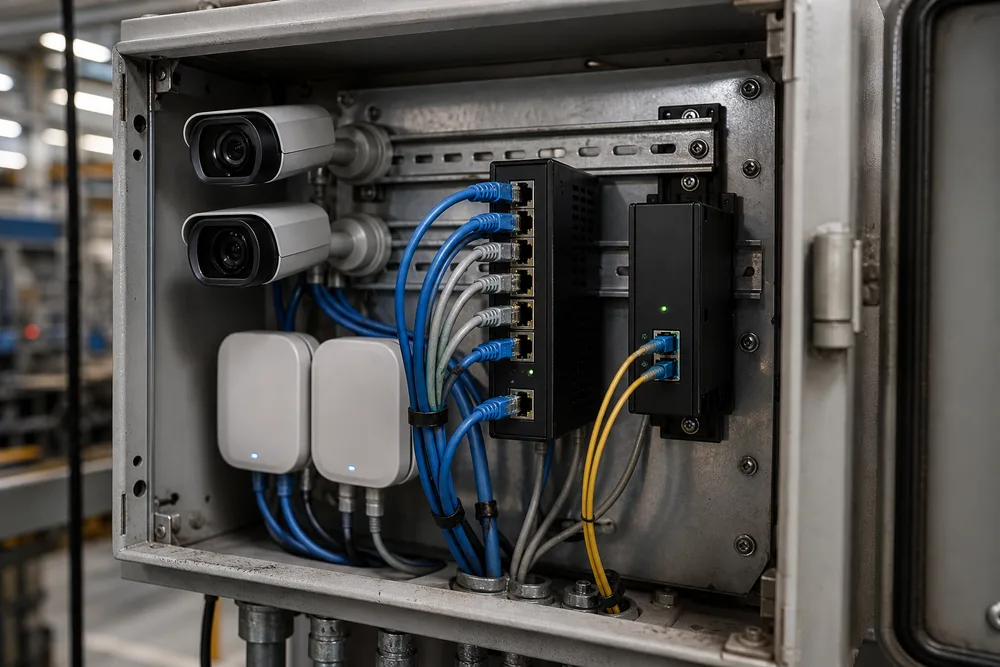
Key Takeaways: OPT-104 Is a 5-Port Copper Fast Ethernet Edge Switch, Not a Fiber-Uplink Switch
Buyers searching for Fiber Ethernet Switches often start with the wrong assumption: any switch sold alongside fiber networking equipment must accept fiber directly. The OPTONE OPT-104 five-port Fast Ethernet switch does not. It is an unmanaged copper access switch with four 10/100Base-TX downstream RJ45 ports and one 10/100Base-TX uplink RJ45 port.
That distinction matters on a job site. If your incoming cable is fiber, the OPT-104 needs a separate copper handoff before traffic reaches its uplink. If all five connections are copper and Fast Ethernet is appropriate for the traffic load, it can be a clean edge device. Do not buy it as a substitute for an SFP switch, and do not assume it can solve a long-distance fiber segment on its own.
Its stated Port-Based VLAN Isolation is an edge-segmentation function that separates traffic by physical switch port rather than requiring managed-switch configuration. It can be useful where local devices should not freely exchange traffic across access ports. Still, you should confirm the required device-to-uplink and device-to-device traffic paths before deployment; isolation is not a replacement for a documented network policy.
Copper Access Switch vs. SFP Fiber Switch vs. Ethernet-to-Fiber Media Converter: A Buyer Comparison
These three products solve different problems. A copper access switch adds local RJ45 ports. An SFP fiber switch terminates a fiber uplink at the switch itself, using the compatible optical module and fiber type. A media converter changes one Ethernet copper link to fiber, usually at each end of the fiber span. Mixing them up creates the familiar last-minute problem: a fiber cable is installed, but the selected switch has no place to connect it.
The choice should follow the cable plant and the number of endpoints, not a preference for one box style. A remote pole, gatehouse, or building with several copper devices may need a fiber-capable switch at that location. One isolated copper device at the far end of a fiber route may need media converters instead. The OPT-104 belongs in the first category only after fiber has already been converted to copper.
| Option | Best fit | Fiber connection | Common buying mistake |
|---|---|---|---|
| Copper access switch | Several nearby RJ45 devices | Needs separate conversion if the uplink is fiber | Assuming an RJ45 uplink accepts an SFP module |
| SFP fiber switch | Multiple local devices with fiber arriving at the cabinet | Direct through its SFP interface | Ordering optics that do not match installed fiber |
| Ethernet-to-fiber media converter | One copper Ethernet handoff across fiber | Built-in fiber interface or SFP, by model | Using it where several endpoints need local switching |
How to Select an Unmanaged Switch for IP Cameras, Wireless APs, Local LANs, and Remote Edge Groups
Start with the endpoint list, then inspect the uplink. IP cameras, wireless access points, door controllers, point-of-sale terminals, and compact workgroups can all use ordinary copper Ethernet, but they do not have identical needs. Video traffic may grow quickly. An access point may need power over Ethernet. A remote group may require a fiber uplink because copper distance limits or electrical exposure make copper impractical. An unmanaged Fast Ethernet switch is not automatically wrong; it simply needs to match the actual traffic and power plan.
Use this field sequence before selecting a unit:
- Count the copper devices that must connect now, then leave a realistic port margin if the enclosure has room.
- Identify the uplink medium already present: RJ45 copper, direct fiber, or fiber converted to copper.
- Verify required Ethernet speed at the uplink, particularly where multiple cameras or AP clients share one path.
- Check whether endpoint power must come from the switch. The published OPT-104 description does not state PoE, so plan separate power unless the chosen model explicitly says otherwise.
- Confirm the available DC supply and installation environment before specifying the enclosure.
For a small copper-only edge cluster, the OPT-104 unmanaged edge switch is a sensible candidate. For a new surveillance build with higher uplink demand or fiber at the cabinet, move up to the appropriate fiber-capable or higher-speed design rather than trying to patch around the mismatch.
OPTONE’s Edge-Network Approach: OPT-104 Port Roles, VLAN Isolation, DC Power, and Deployment Considerations
OPTONE positions the OPT-104 as a compact unmanaged Fast Ethernet edge switch. Its port layout is straightforward: four downstream 10/100Base-TX RJ45 ports connect local devices, while the remaining 10/100Base-TX RJ45 port serves as the uplink. Auto-negotiation and Auto MDI/MDI-X reduce basic copper connection issues, especially in mixed older installations where cable type and endpoint behavior are not always documented.
The switch accepts 9–52V DC input and uses a fanless metal housing. Those details are useful in low-noise cabinets and DC-powered edge locations, but they do not answer every installation question. You still need to validate the supplied power source, connector arrangement, grounding practice, ambient conditions, cable entry, and space around the unit. A metal enclosure is not a substitute for a correctly specified outdoor or hazardous-location enclosure.
Isolation deserves a practical test during commissioning. Connect the intended endpoint types, verify their path to the uplink, and confirm that devices which should remain separated cannot communicate in ways your design does not permit. OPTONE lists a three-year warranty for the unit, which is helpful for lifecycle planning. It does not change the core selection rule: this model is for five copper Fast Ethernet connections, not direct fiber termination.
FAQ: Fiber Ethernet Switch and OPT-104 Buying Questions
Questions around fiber Ethernet equipment usually come down to interface type, not brand terminology. “Fiber switch” can mean a switch with an SFP slot, a unit with a fixed optical port, or simply a copper switch used beside a media converter. Read the port description line by line. For the OPT-104, every stated data port is 10/100Base-TX RJ45 copper. That makes the buying decision clear, provided the upstream handoff is also copper.
If fiber already enters the cabinet, decide where it will convert to copper and who owns that conversion point. If you need to add several local copper devices after conversion, the OPT-104 can serve that local group. If the switch itself must receive fiber, select an OPTONE fiber Ethernet switch or another model with the required optical interface.
Does the OPT-104 have an SFP port or direct fiber connection?
No. The OPT-104 is described with four 10/100Base-TX downstream RJ45 ports and one 10/100Base-TX uplink RJ45 port. It has no stated SFP port or direct fiber interface. Use a separate media converter before the switch if the uplink arrives on fiber.
When should I use a fiber media converter instead of a five-port Ethernet switch?
Use a media converter when the task is to carry one copper Ethernet connection over a fiber run. Choose a five-port switch when several local copper devices need connections. In a remote edge group with a fiber feed and multiple devices, a media converter can provide the copper handoff, followed by the OPT-104; a fiber-uplink switch may be neater where direct fiber termination is preferred.
Request an OPT-104 Quote or Explore OPTONE Fiber Ethernet Switches
Send the deployment facts that change the recommendation: endpoint count, current and planned uplink medium, required speed, DC source, need for endpoint power, and the physical installation location. A useful quote request also states whether fiber is already present and, if so, whether you need a converter or an optical switch interface. That prevents a five-port copper switch from being quoted into a fiber-only cabinet.
For a Fast Ethernet copper edge group, review the published OPTONE OPT-104 specifications alongside your port map. If the project calls for direct fiber, managed controls, PoE, industrial mounting, or higher throughput, ask OPTONE for the switch family that matches those requirements rather than forcing the OPT-104 into a role it was not built to fill.
Review the OPT-104 for Your Copper Edge Network
Check the official product page, then provide your uplink type, endpoint count, and DC power details to confirm fit before purchase.
Need help selecting the right product?
Share your switch platform, link distance and quantity with an OPTONE engineer.
Talk to an Engineer →