
Choose a fiber Ethernet switch by working from the link outward: confirm why the run needs fiber, identify the installed fiber type and connector, count the copper devices and optical uplinks, then decide how much network control and environmental protection the site requires. A switch with the wrong optical interface will not make a link work, no matter how many ports it has.
For most purchases, the decisive details are not the front-panel port count. They are link compatibility, the number of network endpoints that must connect today, and what happens when a cabinet gets hot, a camera network grows, or a fault has to be found remotely. OPTONE can help you assess these requirements across its Fiber Ethernet Switches category without forcing a generic specification onto a site that has different constraints.
Start With the Network Need: When Is Fiber the Right Choice?
Fiber is the right choice where copper distance limits, electrical interference, or separation between buildings make ordinary Ethernet cabling a poor fit. It is commonly used to extend a network backbone from a core room to another floor, warehouse, gatehouse, camera pole, or production area. A fiber optic network switch converts or aggregates that optical connection while providing Ethernet ports for local equipment.
Do not specify fiber simply because the link is important. A short, protected run inside one communications room may be better served by copper. Fiber earns its place when it solves a real physical problem: a long route, a noisy electrical environment, a need for electrical isolation between locations, or a backbone that must carry traffic from several downstream devices.
Start by tracing the actual cable path. Record where each end terminates, whether there are patch panels or splice points in between, and which equipment sits at both ends. This basic survey catches a frequent purchasing error: ordering an Ethernet switch with fiber ports for a link that has no compatible transceiver, patch lead, or available fiber pair.
Match the Fiber Interface to Your Existing Cabling and Equipment
The optical side of the switch must match the installed plant and the device at the other end. Some switches have fixed fiber interfaces; others use removable optical modules. Neither approach is automatically better. Fixed interfaces can simplify a known deployment, while module-based designs give you more flexibility if link types or distances differ across a site.
Check the documentation for both ends of every link before you buy. A compatible physical port is only one part of the decision. The fiber type, connector style, optical module class, speed, and link arrangement must all agree.
Choose Single-Mode or Multimode Fiber for the Link
Single-mode and multimode fiber are different cable systems and should be treated as such. Single-mode fiber is generally selected for longer optical runs, while multimode is often found in shorter building or campus links. The cable marking, project records, patch-panel labels, or an installed-cable test report should tell you which is present. If records are unreliable, verify the cable rather than guessing from its jacket color; color conventions vary by region and installation age.
A switch and transceiver must be selected for the fiber already in the route. Mixing optical components intended for different fiber types is a common cause of links that either fail outright or behave unpredictably after a change.
Confirm Connector, Transceiver, Speed, and Link Compatibility
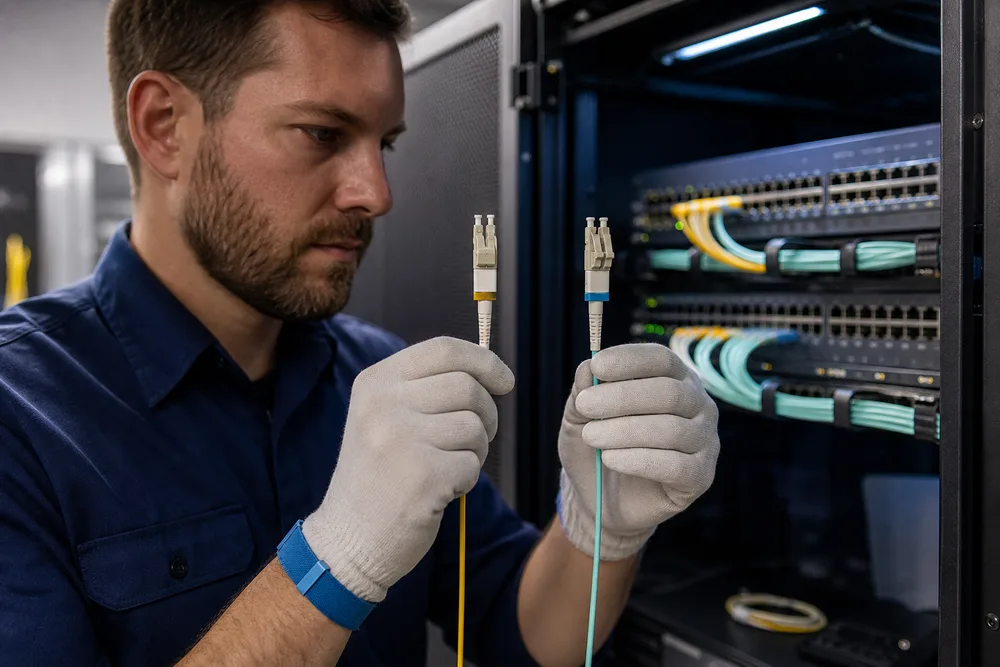
Confirm the connector at the patch point, the interface supported by the switch, and the optics required at both ends. If the switch uses pluggable modules, check the module form factor and the manufacturer compatibility guidance. Then verify that the two ends are intended to operate together at the required Ethernet speed.
Speed deserves more attention than it gets. A gigabit fiber Ethernet switch may be appropriate for a local access cabinet, but its uplink still has to carry the combined traffic from the devices behind it. Do not assume a higher-speed optical port will automatically negotiate down to whatever is connected. Optical links often require a deliberate match.
Plan Copper Ports, Fiber Uplinks, and Room for Network Growth
Count the devices that need copper Ethernet at the switch location, then separate them from the fiber links that connect that location to the rest of the network. These are different jobs. A fiber uplink Ethernet switch may have many RJ45 access ports and only one or two optical uplinks, while a distribution switch may need more optical connections for separate buildings or cabinets.
Leave practical spare capacity. A fully occupied switch turns a small change—a new access point, controller, camera, or workstation—into a cabinet rebuild. Spare ports also make temporary testing less disruptive. Still, avoid buying capacity that the power budget, rack space, or upstream network cannot support.
- Count current copper endpoints at each cabinet.
- Identify every optical link entering or leaving that cabinet.
- Check if connected devices need Power over Ethernet; optical ports do not provide it to an endpoint.
- Review the uplink against combined traffic, not one device in isolation.
- Reserve ports for credible expansion and service access.
Choose Managed, Unmanaged, or Industrial Switching Functions
An unmanaged switch suits a small, stable link where you need basic connectivity and there is no requirement to segment traffic, observe port status in detail, or apply network policy. It is simple, but simplicity limits visibility. If a device starts flooding traffic or a cable begins failing intermittently, diagnosis usually depends on physical checks at the site.
A managed fiber Ethernet switch is a better fit where you need to monitor ports, separate traffic with VLANs, control access, apply quality-of-service policies, or investigate faults from elsewhere. These functions matter in shared business networks and larger camera systems, where camera traffic should not be allowed to interfere with ordinary user traffic. They also introduce a responsibility: someone must configure, document, secure, and maintain the switch.
Industrial switching is not merely a label for a metal enclosure. Review the required operating temperature range, power input arrangement, mounting method, vibration exposure, dust or moisture risk, and any site-specific approval requirements. Buy an industrial fiber Ethernet switch only when its stated ratings match the installation. A switch placed in a hot outdoor cabinet or beside machinery can fail long before the network design does.
Fit the Switch to Business, CCTV, and Industrial Deployment Conditions
Business Networks and Fiber Backbone Extensions
For a business network, fiber often serves as the backbone extension between a main equipment room and a remote office, floor, or building. Focus on manageable uplinks, enough local copper capacity, and a sensible boundary between user, voice, wireless, and operational traffic where the network design calls for it. The overlooked issue is often the remote cabinet itself: power availability, airflow, patching discipline, and physical access can matter more than another unused port.
IP Camera Networks and Harsh-Environment Installations
A fiber switch for CCTV network use should be selected around camera count, power requirements, uplink capacity, and the need to isolate surveillance traffic. Camera systems can appear quiet until several streams are viewed or recorded at once. Confirm how cameras receive power, where recording traffic terminates, and whether a local outage must be visible to the operations team.
For gatehouses, roadsides, factory lines, and utility areas, assess the enclosure and installation conditions as seriously as the switch. Water ingress, condensation, heat buildup, vibration, and unstable power are field failures, not edge cases. The switch rating, power design, grounding approach, and cabinet design need to be considered together.
Fiber Ethernet Switch Pre-Purchase Checklist
Use this list before placing an order:
- Is fiber needed for distance, interference resistance, electrical isolation, or backbone capacity?
- Have you confirmed the installed fiber type rather than assumed it?
- Do the connector, switch interface, transceiver format, optical link type, and Ethernet speed match at both ends?
- How many copper endpoints, fiber uplinks, and spare ports are actually required?
- Does the uplink suit the traffic expected from all downstream devices?
- Do you need managed features for monitoring, segmentation, policy, or remote fault finding?
- For cameras, have you checked endpoint power and the path to the recording system?
- For industrial or outdoor-adjacent sites, do the stated environmental and power requirements match the cabinet and location?
- Can the installer access the fiber terminations, label the links clearly, and test the completed connection?
If each answer is documented, you have a defensible basis for selecting Fiber Ethernet Switches rather than choosing by port count alone.
Need help selecting the right product?
Share your switch platform, link distance and quantity with an OPTONE engineer.
Talk to an Engineer →