
For most business networks, the sensible design is simple: keep copper for short endpoint connections and use fiber between switches, buildings, equipment rooms, and electrically noisy areas. This avoids replacing working copper access links merely for the sake of installing fiber. It also puts the investment where fiber solves a real problem—distance, bandwidth, electrical isolation, interference, or backbone capacity.
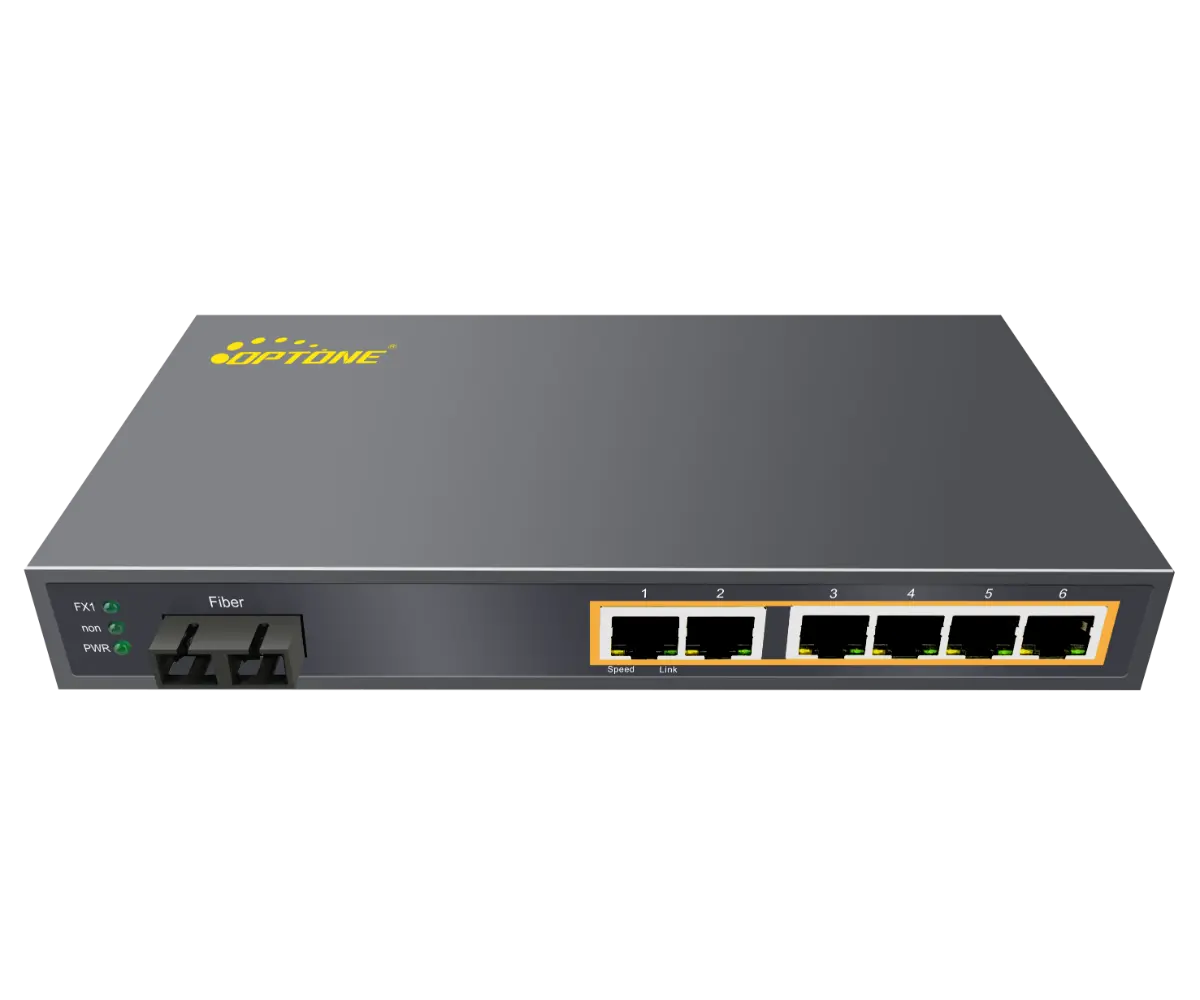
The practical default: use fiber for inter-switch backbones and copper for nearby endpoints
A fiber Ethernet switch does not need to place every device on an optical connection. PCs, printers, phones, cameras, access points, and building controls commonly retain copper Ethernet at the access edge. The switch aggregates those devices and sends their traffic upstream through an SFP or SFP+ fiber port.
This mixed design is usually easier to install and support than an all-fiber network. Copper patching remains familiar to local technicians, while fiber carries backbone traffic over the links where copper distance, electromagnetic interference, grounding differences, or bandwidth limits would become troublesome. It also keeps Power over Ethernet available for edge devices.
Direct fiber to an endpoint still makes sense in specific cases. A server, storage appliance, workstation, or industrial device may already have a supported optical interface. A remote endpoint may also sit beyond a practical copper run or in an area where electrical isolation is required. Treat those as deliberate exceptions, not as the default design for every desk and device.
Place each switch according to its network role, traffic path, and site conditions
Start by assigning every proposed switch a role: access, aggregation, core, building distribution, surveillance aggregation, or industrial edge. The label matters because it changes the required port mix and the consequence of failure. A small access switch serving six cameras has a different job from an aggregation switch carrying traffic for an entire floor.
Mark the expected traffic path on the network drawing. Identify the upstream destination, any alternate path, and the services that cross each link. Voice, video surveillance, storage, internet access, building controls, and ordinary user traffic behave differently. Port count alone won’t tell you whether a switch is suitable.
Office and campus networks: connect access switches through a resilient fiber backbone
In an office, copper access ports usually terminate nearby users, phones, printers, and wireless access points. Fiber uplinks connect floor switches to an equipment room or connect separate buildings across a campus. Each access switch should have enough optical ports for the primary uplink, any required secondary path, and planned growth. Do not count a redundancy port as spare capacity.
Physical diversity matters more than drawing two lines on a diagram. Two uplinks routed through the same conduit, patch panel, or building entrance can be cut by the same incident. If continuity is important, document the actual cable paths and determine whether the switching design supports the intended failover method. A loop created without a suitable control protocol can cause a broadcast storm rather than resilience.
Check where traffic converges. A series of access switches connected in a long chain may save fiber strands, but one failed intermediate switch can disconnect everything downstream. A star or redundant-ring design generally gives clearer fault boundaries, although it may require more fiber, optical ports, and configuration work.
Warehouses, surveillance sites, and industrial zones: account for distance, interference, power, and mounting constraints
Warehouses and surveillance networks often spread endpoints across large areas. Camera density, wireless coverage, and remote cabinets can make switch placement more important than raw port count. Confirm that each cabinet has suitable power, grounding, ventilation, physical security, and space for bend-safe fiber management.
Industrial locations add vibration, dust, electrical noise, temperature swings, and less forgiving power conditions. An industrial DIN-rail fiber Ethernet switch may be appropriate, but the mounting format alone does not make a switch suitable for the site. Verify the stated operating temperature, power input arrangement, enclosure expectations, connector retention, and applicable environmental or industrial approvals for the actual installation.
Pay close attention to heat inside sealed cabinets. A switch rated for a broad ambient temperature range can still exceed its limit if power supplies, PoE loads, and other controls raise the cabinet temperature. Site temperature should be measured or credibly estimated at the equipment position, not taken from an outdoor weather report.
Build a port schedule that separates endpoint access, fiber uplinks, redundancy, and future expansion
Create a port schedule for each switch before requesting a quote. List copper endpoint ports, PoE devices, optical uplinks, redundant links, management connections, and reserved expansion separately. This catches a common purchasing error: selecting a switch advertised with the right total port count without noticing that uplink ports are shared, speed-limited, or unavailable in the intended operating mode.
The schedule should record the function of every planned connection and the interface required at both ends. Include patch-panel identifiers, destination switch names, expected speed, fiber type, connector type, optic requirement, and whether the link is essential to service continuity. Mark unused capacity as reserved rather than quietly assigning it to redundancy.
- Endpoint access: copper data ports and any PoE or PoE+ requirement.
- Backbone uplinks: primary fiber connections to aggregation or core switches.
- Resilience: dedicated ports for alternate paths or paired equipment.
- Operations: management access, monitoring, and any out-of-band connection.
- Expansion: realistic room for another switch, cabinet, camera group, or access point cluster.
Plan a 10G fiber backbone while retaining Gigabit access where endpoint demand permits
A 10G fiber Ethernet switch or 10G uplink can remove an aggregation bottleneck without forcing every endpoint to move beyond Gigabit Ethernet. Many office devices, phones, printers, and individual cameras do not need a 10G access port. Their combined traffic, however, can justify a faster path from the access layer to the network core.
Base that choice on measured utilization, application behavior, and expected growth. Surveillance recording, backups, virtualization, large file transfers, and dense wireless deployments can create sustained or bursty backbone demand. Check both directions of traffic and review peak periods. An uplink that appears quiet during a brief daytime test may behave differently during backups or camera recording events.
Pilot one path, document the rollback, and migrate copper links to fiber in phases
Migrate one representative link first. Choose a path that exercises the intended switch ports, fiber plant, patch panels, optics, management configuration, and monitoring system without placing the most critical business service at immediate risk. The pilot should prove the operating method, not merely produce a link light.
Before the change, record the original port configuration, addressing, VLAN assignment, spanning-tree behavior, link speed, traffic baseline, and cable route. Label both ends of the new fiber and photograph patching where useful. Write down the exact rollback steps, including which copper cable returns to which port. Under time pressure, “put it back the way it was” is not an adequate procedure.
After cutover, test application access, management visibility, error counters, failover behavior, and throughput appropriate to the service. Leave enough observation time to catch intermittent faults. Once the pilot is stable, migrate in groups with clear maintenance windows. For a limited distance-extension requirement, a correctly specified Ethernet-to-fiber media converter may preserve an existing switch, but adding converters also adds power supplies, patch leads, and fault points. A switch with native fiber ports is often cleaner where several links converge.
Keep PoE delivery at the copper edge and plan separate power across fiber spans
Standard Ethernet fiber links do not carry PoE. If a remote camera, phone, access point, or sensor needs power, place a PoE-capable switch or suitable power equipment near that endpoint and provide local electrical power to it. The fiber serves as the data uplink and electrical boundary.
Do not stop at the switch’s headline PoE port count. Confirm the supported PoE class or mode for each endpoint, the total available power budget, per-port limits, and how the switch behaves when demand exceeds that budget. Startup demand can expose problems that aren’t obvious after devices are running. Cable condition also matters because poor copper terminations can cause voltage drop, device resets, or negotiation failures.
For remote cabinets, document the AC or DC source, power-supply arrangement, surge protection, grounding practice, and backup-runtime expectation. If the central network is on a UPS but the remote PoE switch is not, the fiber path may remain up while every attached endpoint goes dark. That is a power-design failure, not a fiber failure.
Validate the entire switch-to-switch optical link before procurement
Treat the optical connection as a system: switch port, transceiver, connector, patch lead, patch panel, installed fiber, intermediate connections, and the equipment at the far end. A compatible-looking part number at one end does not prove that the complete link will work.
Ask the switch supplier to confirm which ports are fixed copper, fixed optical, or SFP-based; which speeds each slot supports; and whether any ports share internal resources. Ask who is responsible for confirming compatibility with the existing switch at the opposite end. Put the answer in the quotation or technical submittal rather than relying on a chat message that can’t be traced during commissioning.
Match port speed, SFP or SFP+ form factor, transceiver coding, wavelength, fiber type, connector, and link reach at both ends
Both ends must support the same Ethernet speed and a compatible optical standard. SFP and SFP+ modules may look similar, but physical fit does not establish electrical or protocol compatibility. Verify the switch slot, permitted module type, and supported speed explicitly.
Next, match wavelength, single-mode or multimode fiber, connector interface, and intended reach. Inspect the installed cabling records rather than assuming fiber type from jacket color alone; field cabling is often patched, extended, or mislabeled over time. Connector cleanliness and end-face condition also deserve attention. Dust can produce loss, intermittent operation, or a link that works on the bench and fails after final patching.
Duplex transmit and receive polarity must be correct. For single-fiber bidirectional optics, the paired modules normally use complementary transmit and receive wavelengths, so ordering two identical units may leave the link down. The supplier should confirm the required pair and the compatibility of the far-end equipment.
Treat MSA compliance and DDM/DOM support as useful checks, not substitutes for a tested compatibility matrix
MSA compliance helps establish that a transceiver follows an industry multisource agreement for mechanical and electrical characteristics. It does not guarantee that every switch accepts every coded module. Some network equipment checks vendor identification or firmware information, and support policies may differ even when the optic can establish a link.
DDM or DOM support can expose operating data such as optical transmit power, receive power, temperature, voltage, and laser bias where supported by the transceiver and host. Those readings are valuable during commissioning and fault isolation. They don’t replace fiber inspection, loss testing, or vendor confirmation, and an unsupported host may not display all fields.
Build a compatibility matrix listing switch model and software version, port identifier, optic part number and coding, far-end device, fiber type, wavelength, connector, and tested result. OPTONE states that it supplies MSA-compliant, OEM-compatible optical products with DDM/DOM options, but the exact combination still needs confirmation. Review the available optical transceiver and switching range, then request a written match for your endpoints rather than selecting only by speed and reach.
Choose managed features, power inputs, DIN-rail mounting, and environmental ratings from operating requirements
Use an unmanaged switch only where the link is simple, local visibility is not required, and a failure can be diagnosed without remote telemetry or configuration control. A managed fiber optic network switch is the stronger choice when you need VLANs, link aggregation, loop protection, traffic prioritization, access controls, port statistics, alarms, or remote administration. Confirm the exact features on the proposed model; “managed” is a category, not a uniform feature set.
Management also creates responsibilities. Decide how the switch receives its management address, who can administer it, which protocols are permitted, where configuration backups are kept, and how firmware changes are approved. A switch installed with default credentials or an exposed management interface creates avoidable risk.
For industrial installations, specify the required input voltage arrangement, connector or terminal style, redundant-power behavior, alarm contacts, mounting method, cooling approach, and operating environment. DIN-rail mounting can simplify cabinet installation, while rack or desktop hardware may be more appropriate in a communications room. Wide-temperature capability should be matched to measured site conditions, including cabinet heat and cold-start requirements.
Diagnose deployment failures from the physical layer outward
Start with power, port state, cabling, and optics before changing VLANs or routing. Random configuration changes can hide the original fault and create a second one. Record indicators and diagnostic readings first, then change one condition at a time.
| Symptom | Likely areas to check | First practical actions |
|---|---|---|
| No link | Power, disabled port, wrong speed, incompatible optic, fiber polarity, dirty connector, broken strand | Confirm power and port state, verify the optic pair, clean and inspect connectors, then test the fiber path. |
| Unstable link | Marginal optical level, damaged patch lead, loose module, heat, power fluctuation | Review DDM/DOM readings if available, replace known-good patch components, and check cabinet temperature and power. |
| Low throughput | Congestion, errors, speed mismatch, oversubscribed uplink, traffic policy | Check interface counters and utilization at both ends before altering quality-of-service or VLAN settings. |
| PoE device resets or stays off | Power budget, endpoint requirements, copper cabling, remote-switch supply | Verify per-port status, total budget, cable condition, and the power source feeding the edge switch. |
| Link works but management fails | Management VLAN, IP settings, access control, gateway, disabled service | Test local access, confirm the management path, and compare the running configuration with the approved design. |
Use no-link, unstable-link, low-throughput, PoE, and management symptoms to isolate power, cabling, optics, configuration, or traffic problems
A no-link condition usually belongs to the physical or interface layer. An unstable link points toward marginal optical power, contamination, temperature, a failing power source, or a damaged component. Low throughput with a stable link is more likely to involve congestion, errors, traffic patterns, or configuration. PoE failures stay on the copper and power side unless the remote switch itself has lost its fiber uplink.
Swap components carefully. Replacing an optic and a patch lead at the same time may restore service, but it won’t reveal which part failed. Use known-good parts, preserve the original labels, and note every change. If one link works only with a particular third-party module, record the switch software version and module coding; that detail belongs in the compatibility matrix for future purchases.
Finish with a supplier-ready brief that exposes total acquisition cost and unverified assumptions
Your request for quotation should describe the network role, not just ask for “a fiber switch.” Include the quantity, copper and optical port requirements, port speeds, PoE needs, management functions, mounting method, power inputs, operating environment, redundancy plan, and the exact equipment expected at the far end of each optical link.
Separate required items from assumptions that still need confirmation. List switches, transceivers, patch cords, mounting accessories, power supplies, console or management accessories, and recommended spares. Installation labor, fiber testing, configuration, training, software or license costs, and replacement lead time can matter more than a small difference in unit price. A low hardware quote that omits optics or power components is not a lower acquisition cost.
Ask OPTONE to confirm the exact model, port functions, tested optics, factory-test evidence, warranty, lead time, support, and applicable UL, FCC, RoHS, or other compliance documentation
Send OPTONE a written schedule and ask for a line-by-line response. The reply should identify the exact switch model, clarify each port’s function and supported speed, name the tested transceiver part numbers, and state whether any copper or optical ports are shared. Request confirmation of management features, PoE or PoE+ behavior where applicable, power-supply inclusion, DIN-rail or rack accessories, operating limits, and the intended fiber and connector types.
Ask what factory testing is performed on the proposed configuration and what evidence can be supplied with the order. Confirm warranty terms, failure-return procedure, technical-support channel, production lead time, and availability of matching replacements. For a U.S. deployment, request the UL, FCC, RoHS, or other documentation applicable to the exact product and installation; do not assume that a document covering one model covers the whole range.
The final brief should leave no hidden compatibility claim. Mark every item as supplier-confirmed, customer-verified, or still open. Send that version to OPTONE, resolve the open entries in writing, and use the approved schedule as the basis for the pilot, purchase order, installation record, and future spare-parts list.
Need help selecting the right product?
Share your switch platform, link distance and quantity with an OPTONE engineer.
Talk to an Engineer →