
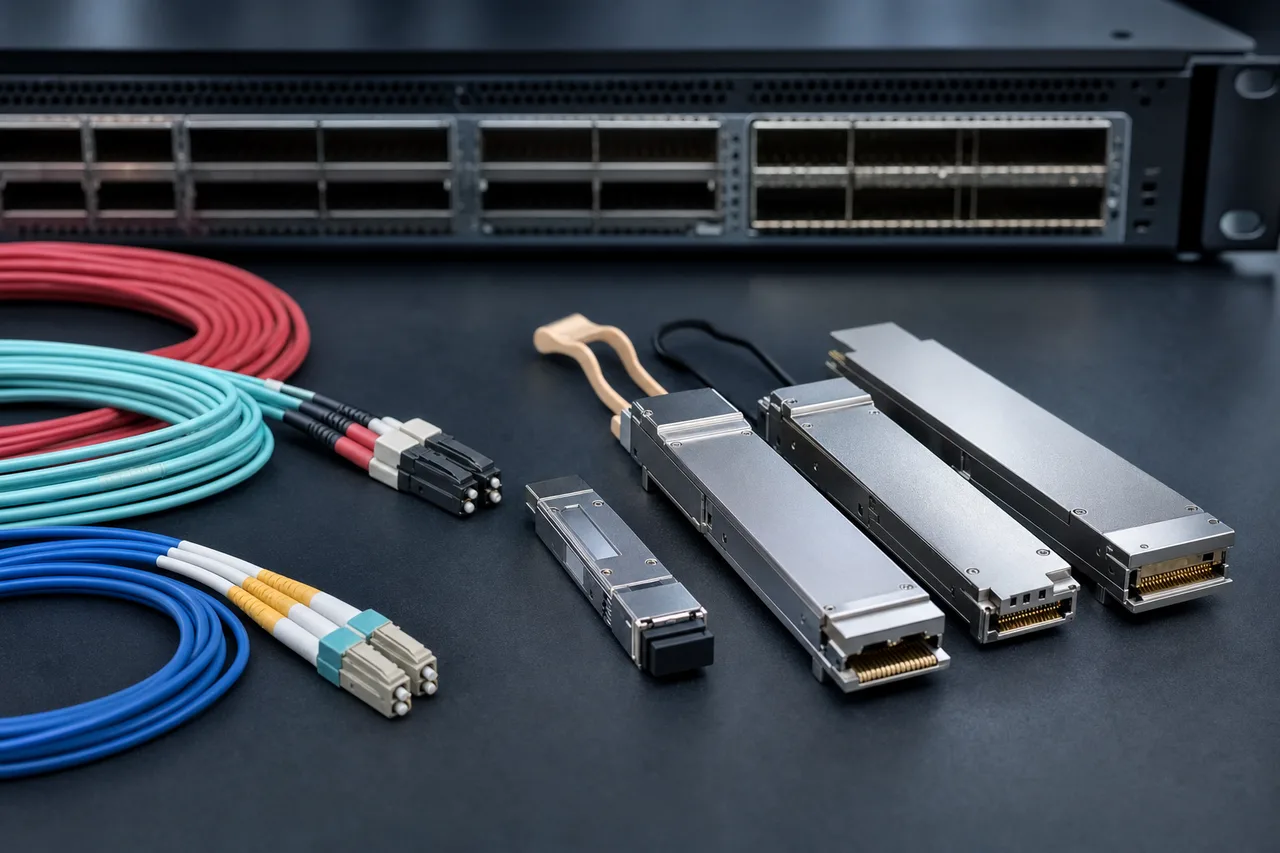
Key Takeaways for Selecting Optical Transceivers in Southeast Asian Networks
- Match the module’s form factor and speed to the physical host port before checking price.
- Confirm single-mode or multimode fibre, connector type, reach and wavelength as one complete link specification.
- OEM coding and host-platform compatibility matter as much as optical performance.
- DDM/DOM support helps you check transmit power, receive power, temperature and other operating data after installation.
- For dense links, compare DAC, AOC and pluggable optics rather than treating them as interchangeable.
The right optical transceiver is the one that fits the port, runs across the installed fibre plant and reports sensible diagnostics on the intended switch or router. A module can be technically compliant and still fail to operate if the host expects a different coding profile or does not support its power and firmware behaviour.
Buyers should also consider service conditions. Commercial-temperature modules may suit controlled data-centre rooms, while industrial-temperature options are more appropriate for cabinets exposed to wider ambient variation. That choice should follow the equipment location, not a generic preference for one grade.
Optical Transceiver FAQ: Compatibility, Fiber Choice, Diagnostics and Interconnect Options
How do I match an optical transceiver’s form factor, speed and OEM coding to the host port?
Start with the host equipment’s port label and approved module list. An SFP port normally requires an SFP-family module, while SFP28, QSFP+, QSFP28, QSFP56, QSFP-DD and OSFP ports have different mechanical and electrical requirements. Speed is not determined by the cage alone: confirm the port’s supported operating rates, breakout mode and interface configuration in the switch or router documentation.
OEM coding is the next check. Cisco, Juniper, Huawei, Arista, Dell, HP/HPE and other platforms may identify a module through its EEPROM data before enabling the interface. OPTONE supplies modules compatible with these named brands and more than 200 additional OEM platforms, but you should still provide the exact equipment model and software environment when requesting a quote. That is more reliable than ordering by speed alone.
Should I choose SMF or MMF, LC or MPO, BiDi wavelengths, DAC, AOC or pluggable optics?
Choose single-mode fibre for longer links, metro or telecom transport, and multimode fibre where the installed data-centre cabling and reach make it appropriate. LC is common for duplex connections and easier individual-port handling. MPO is useful for high-density parallel-fibre links and breakout architectures, but polarity, fibre count and cassette design must be checked before delivery.
BiDi modules can reduce fibre usage by sending and receiving over different wavelengths on one strand, so the two ends must be ordered as a matched wavelength pair. CWDM and DWDM suit wavelength-multiplexed networks but require coordination with the optical plan. DAC is usually the practical choice for short rack links, AOC offers a fixed optical cable assembly, and pluggable optics provide more flexibility for structured cabling and later replacement.
Optical Transceiver Comparison Table: Form Factors, Fiber Types, Connectors and Typical Network Uses
| Module or media type | Typical interface | Fibre or media | Common use |
|---|---|---|---|
| SFP, SFP+ | LC or RJ45 | SMF, MMF or copper | Access, enterprise and 1G/10G links |
| SFP28 | LC | SMF or MMF | 25G server and switch connections |
| QSFP+, QSFP28, QSFP56 | MPO or LC | Parallel or duplex fibre | 40G, 100G and 200G data-centre links |
| QSFP-DD, OSFP | MPO, duplex or application-specific | SMF or parallel fibre | 400G and 800G switching infrastructure |
| DAC or AOC | Fixed cable assembly | Copper or integrated optical cable | Short rack and row interconnects |
From 155M/1G SFP to 800G OSFP: Matching speed and form factor to network equipment
OPTONE’s range extends from 155M and 1G products through 10G, 25G, 40G, 100G, 200G, 400G and 800G families. The practical selection rule is simple: follow the host cage, supported speed and network architecture together. An 800G OSFP module is not a substitute for a QSFP-DD module merely because both serve high-capacity switching. Mechanical size, host thermal design, electrical interface and breakout support all matter.
For older access and enterprise equipment, SFP and SFP+ remain useful because they support a large installed base and straightforward LC patching. At the higher end, QSFP-DD and OSFP are aimed at dense switching platforms where airflow, power and front-panel spacing need careful review. Ask the supplier to confirm the exact host model before buying large quantities.
BiDi, CWDM, DWDM and copper SFP: Selecting wavelength, fiber count and media type
BiDi is attractive where only one fibre is available, but it requires complementary transmit and receive wavelengths at opposite ends. CWDM and DWDM are better suited to networks that already use multiplexing equipment and a defined channel plan. Do not select them from a wavelength label alone; check the passive multiplexer, optical budget and end-to-end channel assignment.
Copper SFP modules can reuse existing twisted-pair cabling for suitable short Ethernet connections. They also behave differently from fibre modules in power draw, heat and cabling distance. In a humid or difficult-to-access site, the connector and patch-panel condition may matter more than the module’s headline speed. Confirm the media type before placing the purchase order.
How to Specify the Right Optical Transceiver Before Requesting a Quote
A good request for quotation removes guesswork. Send the supplier the host device model, port type, required speed, link distance, fibre specification and preferred connector. Include both ends of the link when the equipment is different, especially for BiDi, breakout or mixed-OEM deployments.
DDM/DOM is useful after installation, but it does not correct a bad optical design. You still need to verify the fibre route, patching method and expected operating conditions. The module should also be tested on the intended platform where compatibility is critical. OPTONE states that its optical transceivers are 100% tested and supports TX/RX power verification, which gives buyers a clearer basis for acceptance testing.
A practical host-port, reach, connector, temperature and DDM/DOM verification checklist
- Record the switch or router brand, exact model, port number and supported form factor.
- Confirm the required data rate, duplex or breakout arrangement and host-side coding.
- Identify single-mode or multimode fibre, installed reach and fibre count.
- Specify LC, MPO, RJ45 or another required interface, including polarity for parallel optics.
- Choose commercial or industrial temperature according to the installation cabinet and site conditions.
- Request DDM/DOM support and ask which parameters are available for monitoring.
- Require compatibility testing, TX/RX power verification and packaging labels that identify each module.
This checklist is especially useful for regional rollouts managed from Singapore, Malaysia, Thailand, Indonesia, Vietnam or the Philippines, where replacement logistics can add more cost than the original module difference.
OPTONE MSA-Compliant and 100%-Tested Optical Transceivers for Multi-OEM Deployments
OPTONE Technology Limited has supplied optical connectivity products from Shenzhen since 2003, including pluggable transceivers, media converters, AOC/DAC cables and fibre Ethernet switches. Its optical-transceiver portfolio covers SFP, SFP+, XFP, SFP28, QSFP+, QSFP28, QSFP56, QSFP-DD and OSFP form factors, with products from 155M to 800G.
The company’s first-use technical distinction here is OPTONE TX/RX power verification. This process checks the module’s transmit and receive optical power as part of production testing, helping identify weak output, abnormal reception or a defective unit before it reaches the installation site. It does not replace link-budget review or field cleaning, but it is a meaningful control for batch purchases.
OPTONE also states MSA compliance, DDM/DOM support, factory-direct pricing and compatibility testing for Cisco, Juniper, Huawei, Arista, Dell, HP/HPE and more than 200 other OEM brands. Buyers can review the full OPTONE optical transceiver range by speed, form factor, fibre type, wavelength and interface. Options include BiDi, CWDM, DWDM, copper SFP, LC, MPO and RJ45 configurations, plus commercial and industrial temperature choices.
Request Compatible Optical Transceivers for Your Southeast Asia Deployment from OPTONE: https://fibertransceiver.com/products/optical-transceivers/
Send OPTONE the equipment model, port speed, required reach, fibre type, connector, temperature requirement and destination country. If your project uses several OEM platforms, list both ends of every link instead of requesting one generic module family. That allows the supplier to confirm coding, form factor and test requirements before production.
For replacement stock, include the existing module label or a clear photograph of the EEPROM identification if available. For new data-centre or telecom builds, ask for a consolidated quotation covering the required module mix, DDM/DOM support, TX/RX power verification and compatibility testing. You can request compatible optical transceivers from OPTONE through the official product page.
Specify Your Optical Transceiver Requirement
Share your host equipment, speed, reach, fibre, connector and OEM details with OPTONE to receive a compatible quotation for Southeast Asian deployment.
Need help selecting the right product?
Share your switch platform, link distance and quantity with an OPTONE engineer.
Talk to an Engineer →