
The right optical transceiver must match the equipment at both ends of the connection, the fiber route between them, and the operating conditions at the installation site. Before comparing price or module family, verify the host port, data rate, form factor, connector, fiber type, wavelength, reach, coding, and link budget. Then confirm the exact SKU with a datasheet and supplier documentation.
That basic process prevents the failures buyers usually discover after delivery: a module that fits the cage but is rejected by the switch, a wavelength that does not match the far-end optic, or a link that works only intermittently because the optical budget was never checked.
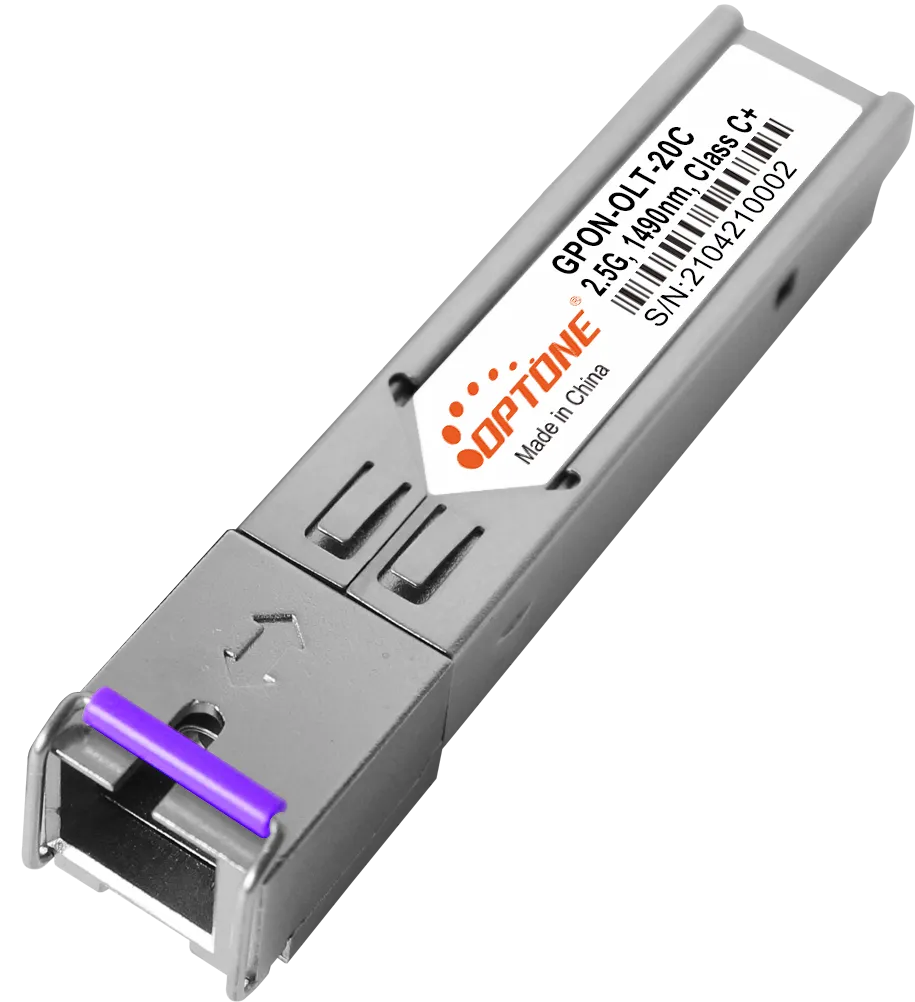
The right transceiver must match both endpoints and the complete optical link
An optical transceiver is not selected by speed alone. A 10G module, for example, still needs the correct host interface, form factor, optical characteristics, connector, and compatibility profile. The far-end module matters just as much. Both ends must form a workable optical pair, unless the design specifically uses a bidirectional arrangement with matched wavelength roles.
Start with the switch, router, server adapter, or transport equipment actually being used. Record the port type and the manufacturer’s supported module list. For a data center, enterprise network, telecom network, or ISP deployment, this check is more reliable than choosing a familiar product name from a catalog.
OPTONE lists optical transceiver families from 1G to 800G, including SFP, SFP+, XFP, QSFP+, QSFP28, QSFP56, QSFP-DD, OSFP, BiDi, CWDM, DWDM, and copper SFP options. That range helps narrow the search, but it does not replace endpoint verification. You can review OPTONE optical transceiver modules by application and form factor, then confirm the proposed part against your equipment records.
Define the link requirements before comparing module families
First identify the physical and electrical conditions the module must satisfy. A supplier cannot responsibly recommend a part from distance and speed alone if the fiber type, wavelength, port coding, or site temperature is unknown.
Confirm the host port, data rate, form factor, and connector on each endpoint
Check the host equipment manual, port label, firmware documentation, or validated compatibility list. Confirm the supported data rate and whether the port accepts the intended form factor. A QSFP28, QSFP-DD, SFP+, or XFP module may be mechanically different even when the application description sounds similar.
Then verify the connector and cable assembly. The module and the installed patching must agree. Do not assume that an adapter or breakout cable will solve a mismatch; it may introduce another compatibility requirement at the host port or at the far end.
For copper SFP applications, check the switch port requirements and the intended copper connection separately. Copper and optical modules may share a cage format while serving different physical media and operating conditions.
Verify fiber type, wavelength, reach, operating environment, and link budget from the equipment and route
Use the route design and the equipment documentation to confirm whether the connection uses multimode fiber, single-mode fiber, duplex transmission, BiDi, CWDM, or DWDM. Wavelength is not a decorative line in a datasheet. It determines whether the two ends can communicate through the installed fiber system and, in multiplexed networks, whether channels are assigned correctly.
Reach must be treated as a design parameter, not a promise that applies to every installation. Gather the actual fiber length, patch panels, connectors, splices, and any passive components. Compare the resulting loss with the module’s stated transmit and receive characteristics in the applicable datasheet. If the supplier has not provided a value for a required parameter, ask for it rather than filling the gap with an assumption.
Also record the site environment. Commercial, industrial, outdoor, and telecom installations can impose different temperature, dust, vibration, or service-access requirements. OPTONE offers commercial and industrial Ethernet-to-fiber converters, including PoE variants and chassis systems, but the correct product still depends on the installation conditions and host equipment.
Select the form factor around the network architecture and upgrade path
Choose the module family that fits the network you are building, not just the port available today. SFP and SFP+ families are common in access and enterprise connections; QSFP28 is associated with 100G applications; higher-rate designs may use QSFP56, QSFP-DD, or OSFP. The correct choice depends on the host platform and the architecture, including breakout, parallel-fiber, or duplex links where applicable.
Consider the next planned change before ordering a large batch. A lower-cost module that cannot be reused after a switch refresh may be more expensive across the project. The opposite mistake also happens: buying a higher-rate family that the current platform cannot accept. Ask the equipment vendor which module types are supported now and after the planned upgrade, and document that answer with the purchase order.
Physical fit is not enough: verify coding, standards, and peer interoperability
A module can seat correctly in a cage and still fail at initialization. The host may reject its identification data, limit unsupported optics, or report an alarm because the expected coding does not match. This is why optical transceiver compatibility with network switches needs a software and documentation check, not only a mechanical one.
Use MSA compliance, OEM compatibility, and DDM/DOM requirements as separate verification points
MSA compliance addresses published multi-source form-factor and interface expectations. OEM compatibility addresses whether the module is intended for a particular switch, router, or adapter platform. DDM or DOM support concerns digital monitoring information such as available diagnostic readings, where supported by the module and host. These are related checks, not interchangeable claims.
For Cisco compatible optical transceiver modules or equipment from another OEM, specify the exact host model, port speed, software context if relevant, and required coding. Ask the supplier to identify the compatible SKU rather than accepting a generic “compatible” label. If monitoring is needed, confirm which readings the host can display and whether the proposed module supports them.
OPTONE describes its range as supporting MSA compliance, DDM/DOM, OEM compatibility, and RoHS or other listed certifications. Treat those statements as starting points for verification: request the exact product-level evidence for the SKU and application you are buying.
Diagnose the common buying mistakes before they become link failures
- Buying by speed only: The port rate matches, but the form factor, connector, or coding does not. The symptom is rejection, no link, or an alarm immediately after insertion.
- Pairing unlike optical characteristics: The endpoints use different fiber assumptions, wavelengths, or transmission arrangements. The link may remain down even though both modules appear to have the same speed rating.
- Ignoring the route loss: A module is chosen for nominal reach without counting patch panels, connectors, and splices. The result can be low receive power, packet errors, or an unstable link.
- Assuming MSA means universal compatibility: The module follows a common form factor but the host still requires OEM-specific coding or approved optics.
- Skipping documentation for replacements: A replacement looks identical but lacks the required monitoring, certification record, or support for the installed platform.
These problems are cheaper to prevent than to isolate after a rack is populated. Keep the original module label, host port, route identifier, and test result with the deployment record.
Build the quotation around evidence, documentation, and deployment support
A useful quotation should identify the exact module, not just the family name. Give the supplier the endpoint models, port speeds, fiber type, route details, connector, environmental requirement, quantity, and any need for DDM/DOM, OEM coding, breakout, or bidirectional operation.
Ask for the exact SKU datasheet, applicable RoHS or other certification records, test evidence, warranty terms, lead time, and replacement support. If the project includes many identical links, confirm labeling, serialization, packing, and how failed units will be matched to the original order.
Request the exact SKU datasheet, applicable RoHS or other certification records, test evidence, warranty terms, lead time, and replacement support
OPTONE operates from a Shenzhen manufacturing operation established in 2003 and supplies optical transceivers, fiber media converters, fiber Ethernet switches, and AOC/DAC cables. For standard products or OEM/ODM work, ask which documentation and testing apply to the precise configuration rather than relying on a family-level brochure. You can send the completed requirements to OPTONE for an optical transceiver quotation and request confirmation before ordering.
Use this final checklist:
- Both endpoint models and supported port types are recorded.
- Data rate, form factor, connector, fiber type, wavelength, and reach are confirmed.
- Route loss and operating environment have been reviewed.
- OEM coding, MSA status, and DDM/DOM needs are separately documented.
- The exact SKU datasheet, certification records, test evidence, warranty, lead time, and replacement process are included.
If one of those answers is missing, the purchase is not fully specified yet. Clarify it before the modules reach the rack.
Need help selecting the right product?
Share your switch platform, link distance and quantity with an OPTONE engineer.
Talk to an Engineer →