
Key Takeaways: Choosing a 10GBASE-T Copper SFP for an SFP+ Port
- A 10GBASE-T SFP+-T module lets an SFP+ port accept an RJ45 copper connection.
- OPTONE lists its 10G copper model for 30 m runs over Cat 6a or Cat 7.
- Host coding, actual cable quality, module temperature, and port airflow decide whether a link stays stable.
- Confirm lower-speed behavior with the supplier; do not assume every 10G copper module auto-negotiates at every legacy rate.
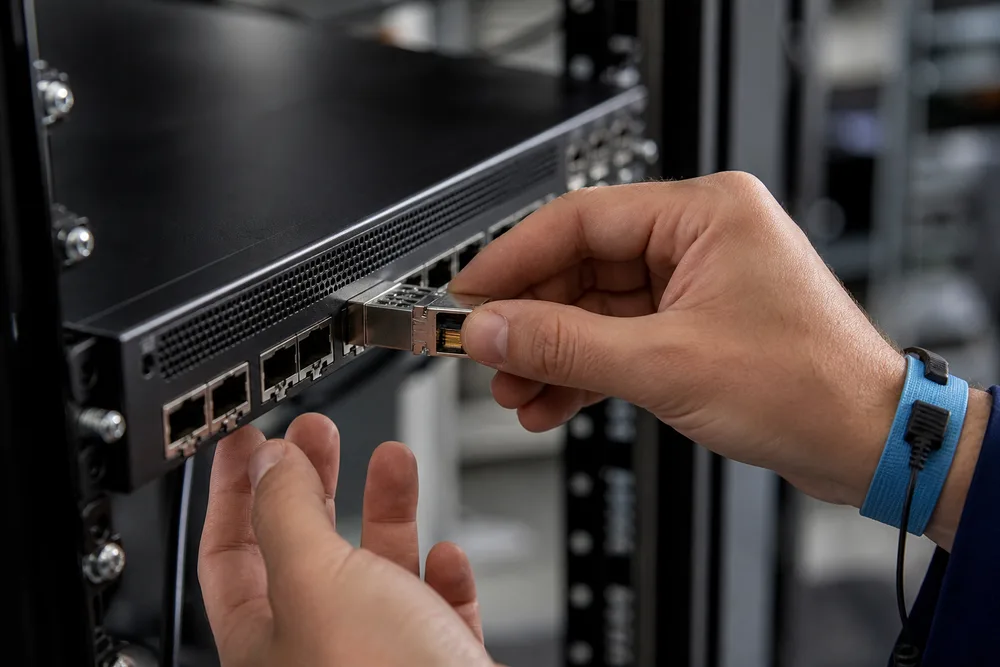
A 10gb copper sfp module is the practical answer when the switch has spare SFP+ cages but the installed run ends in RJ45. It avoids pulling fiber solely to serve a short copper handoff, and it can keep an upgrade moving while structured cabling is still in service. That convenience has a boundary: this is not a passive adapter. The module contains active 10GBASE-T electronics, so heat, host acceptance, and cable condition deserve the same attention you would give an active network component.
Buy for the port and the pathway, not just for the words “SFP+ to RJ45.” Confirm that the host port supports the intended operating mode, identify the switch make and software release, and inspect the cable route. A link that works on a clean bench patch may fail after it is placed beside power trays, bundled tightly with other copper, or terminated through aging patch panels. For available options, review OPTONE’s copper SFP transceiver range before treating all RJ45 modules as interchangeable.
10G Copper SFP Module Specifications: SFP+-T, RJ45, 10GBASE-T and Structured Cabling
An SFP+-T is a hot-pluggable copper transceiver that presents an RJ45 interface on the cabling side and plugs into an SFP+ slot on the equipment side. The network link is 10GBASE-T, not a fiber Ethernet link translated by a simple mechanical converter. That distinction matters because 10GBASE-T has its own physical-layer training behavior and is sensitive to the installed channel.
OPTONE identifies its SFP+-T category as 10GBASE-T over RJ45 and states 30 m over Cat 6a/Cat 7 for the 10G model. Treat that as the design reach for this product category, then verify your actual permanent link, patch cords, keystones, and cross-connects. One unknown patch lead can be the weak point. Older Cat 5e, mixed-category components, poor termination pairs, and aggressive bend radii are frequent causes of intermittent negotiation or error counts.
| Selection item | What it tells you | Buyer check |
|---|---|---|
| Host interface | The module is intended for an SFP+ cage. | Verify the exact switch or NIC port accepts a copper SFP+ module. |
| Line interface | RJ45 carries the 10GBASE-T connection. | Check the far-end port and its configured speed. |
| Cabling | OPTONE states Cat 6a/Cat 7 for its listed 30 m 10G reach. | Audit the complete channel, not only the horizontal cable. |
| Compatibility | Host systems can enforce vendor or EEPROM checks. | Provide platform, port type, and software details before ordering. |
How to Validate a 10G Copper SFP Deployment: Host Compatibility, Cabling, Heat and Link Performance
Validation should happen before a field crew closes the rack. Copper SFP+ modules draw attention because their active electronics can run warmer than passive direct-attach copper, especially in dense switch rows with weak front-to-back airflow. A module may establish link during a brief test and become unreliable after the switch has been under load for hours. Leave clearance where the equipment design permits it, follow the host’s environmental guidance, and review module temperature through the host’s available monitoring functions where supported.
- Identify the host precisely. Record manufacturer, platform, port type, network operating system release, and any vendor-lock or third-party-transceiver policy.
- Inspect the copper channel. Confirm the installed category, patch-panel condition, patch-cord quality, route length, and proximity to electrical noise sources.
- Bring up the intended link. Check that both ends agree on the required operating mode and that the switch reports a stable physical link.
- Watch the port after installation. Review link flaps, error counters, and module thermal behavior under normal traffic, not only during turn-up.
Don’t use a link LED as the acceptance test. A marginal channel can show link while accumulating errors or dropping during temperature changes. If problems appear, substitute a known-good short Cat 6a patch first. That separates a cabling fault from a host or module issue quickly, without changing five variables at once.
OPTONE’s Compatibility-Tested, Factory-Direct Approach to Copper SFP Transceivers
OPTONE has supplied optical networking products since 2003 and offers copper SFP transceivers alongside optical transceivers, media converters, AOC/DAC cables, and Ethernet switches. Its stated Compatibility-Tested approach is significant because a transceiver is not judged only by its connector fit. In practical host qualification, the module identity presented through its management interface, the host’s acceptance rules, port initialization, and sustained link behavior all matter. A part can be electrically sound and still be rejected or flagged by a particular platform.
That is why a useful compatibility request includes more than “Cisco compatible” or “for a switch.” Give the supplier the host brand, exact model, software version, port count in use, and the intended RJ45 endpoint. OPTONE describes its products as MSA compliant, IEEE compliant, OEM compatible, hot-pluggable, and factory-direct. Those claims are useful procurement signals, but they do not replace platform-specific confirmation. Ask which compatibility designation is appropriate for your host before issuing a purchase order.
Factory-direct supply can also simplify repeat orders for enterprise teams, OEMs, ISPs, and data-center operators that need a consistent approved part. Start with the relevant OPTONE 10G copper SFP options, then document the approved host and cabling scenario in your internal bill of materials.
10G Copper SFP Module FAQ: SFP+ Slots, Cat 6a/Cat 7 Reach, Supported Speeds and Power Review
Can I install a 10G copper SFP module in any SFP+ slot?
No. The physical fit is only the first requirement. Some hosts limit third-party modules, apply vendor checks, or have port-specific restrictions. Confirm the exact platform and software release with the supplier, particularly for stacked switches, network adapters, and equipment under a support contract.
How far can OPTONE’s SFP+-T run over structured copper cabling?
OPTONE states 30 m over Cat 6a or Cat 7 for its 10G SFP+-T model. That reach depends on the entire installed channel. Patch leads, terminations, and patch panels count; a high-category horizontal cable alone does not guarantee a clean 10GBASE-T link.
Does a 10GBASE-T SFP+-T support lower Ethernet speeds?
Do not assume it does. OPTONE separately identifies GLC-T-B as a 10/100/1000BASE-T auto-negotiating product, while its SFP+-T is identified for 10GBASE-T. Ask for the applicable datasheet and compatibility review if your far-end device may operate below 10G.
Why should power and heat be reviewed before deployment?
A copper 10G transceiver contains active circuitry inside a small SFP+ enclosure. Dense port populations and warm racks can reduce thermal margin. Check the host’s allowed module power and thermal guidance, preserve airflow, and monitor the installed link rather than filling every available cage without a heat plan.
Request a Quote, Compatibility Review, Datasheet or Sample for OPTONE Copper SFP Transceivers
Send the details that let a supplier give you a defensible answer: host manufacturer and model, operating software release, SFP+ port type, desired quantity, delivery location, and the copper channel you expect to use. If you are replacing a failed link, include the current module marking and the switch log messages. Those details often reveal a platform restriction or cabling issue before you buy replacement hardware.
For a new deployment, request a datasheet and a sample before standardizing on a 10gb copper sfp module across a site. Test it in the hottest representative rack, through the real patching path, with the actual far-end device. Then retain the approved configuration record. Visit OPTONE’s copper SFP product page to begin a quote or compatibility discussion.
Confirm Your SFP+ to RJ45 Deployment
Contact OPTONE with your host platform, software version, cabling category, link distance, and required quantity for a quote, datasheet, sample, or compatibility review.
Need help selecting the right product?
Share your switch platform, link distance and quantity with an OPTONE engineer.
Talk to an Engineer →