
- The OPTONE OPT-5016 provides 16 × 100Base-FX SFP slots; the required Fast Ethernet SFP optics are optional and must be selected separately.
- Both ends of every fiber link must match on fiber type, wavelength family, connector interface, and intended reach.
- Choose unmanaged fiber switching where fixed forwarding and simple operations matter more than VLANs, monitoring, and remote configuration.
- Before issuing a purchase order, validate the existing fiber plant, installed equipment at the far end, optic compatibility, support documents, and delivery terms.
Sixteen remote fiber links can look straightforward on a drawing and still fail at commissioning because somebody specified the switch but not the optics. The MSA-compliant SFP interoperability used in this product category matters because an SFP is a removable optical interface built to a Multi-Source Agreement mechanical and electrical form factor. It lets you pair one fiber Ethernet switch platform with suitable 155M Fast Ethernet optics for the installed cable plant, rather than treating every port as a fixed optical type.
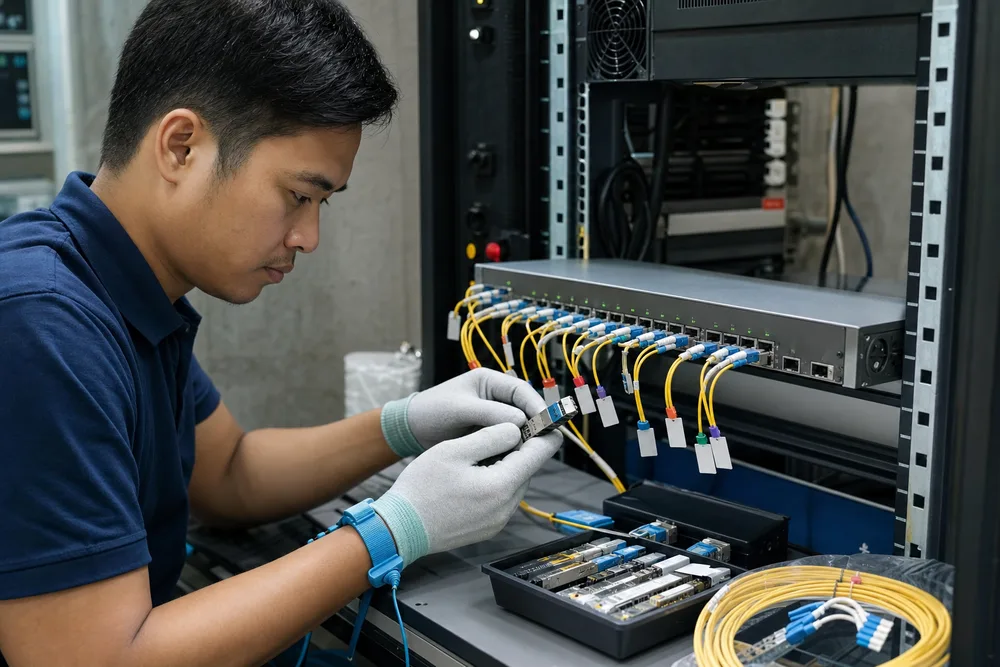
Key Takeaways for Selecting a 16-Port Fast Ethernet Fiber Switch
The OPTONE OPT-5016 is an unmanaged L2 switch with 16 × 100Base-FX SFP slots. That makes it a focused answer for sites still operating Fast Ethernet fiber links: legacy access networks, dispersed cabinets, surveillance aggregation, or a campus segment where the connected endpoints are already 100M. It is not a substitute for a Gigabit aggregation switch simply because it has a large port count. Port speed is the first decision, not an afterthought.
Buyers in Southeast Asia should also separate the active device from the optical path. The switch accepts optional 155M Fast Ethernet SFP transceivers for multimode or single-mode fiber. Your existing fiber type, route condition, distance requirement, and the optic installed at the remote endpoint decide the correct module. A single-mode SFP will not repair poor splices or contaminated connectors; a multimode optic is not a sensible choice for a single-mode route just because it is already in stock. Review the OPT-5016 16-port 100Base-FX fiber switch alongside the proposed SFP list, as one bill of materials.
FAQ: How Do You Choose Single-Mode or Multimode SFPs for a 100Base-FX Link?
How do wavelength, fiber type, connector type, and link distance need to match at both ends?
They need to be specified as one matched link pair. Start with the fiber route: identify whether it is multimode or single-mode from records, cable markings, or a proper site survey. Then select 155M 100Base-FX SFPs intended for that fiber class and ensure the wavelength family and connector interface suit the link design at both ends. The receive side must be able to interpret the light sent by the transmit side. A physically similar connector does not prove optical compatibility.
Distance should be checked against the optic’s stated reach and the real condition of the path, including patch panels, joints, splices, and any aged or damaged sections. In humid plant rooms and outdoor cabinets, dirty ferrules are a routine source of intermittent loss. Confirm duplex fiber polarity as well: one strand must carry transmit-to-receive, and the other receive-to-transmit. Document port numbers, SFP part numbers, and route labels before the team closes a cabinet.
Is an unmanaged 16-port fiber switch suitable for CCTV surveillance, LAN aggregation, FTTx, or campus backbones?
Yes, if the connected links are 100Base-FX and the design does not require switch-level management features. For CCTV surveillance, an unmanaged fiber switch can aggregate fixed camera-side or cabinet-side fiber links where traffic patterns are stable and operations need basic connectivity rather than per-port policy. For LAN aggregation, it fits a known Fast Ethernet segment, but you must examine the uplink path carefully; several active endpoints can contend for bandwidth upstream.
FTTx and campus use are equally dependent on architecture. The OPT-5016 can suit a defined fiber distribution point, yet it does not replace the operational visibility of a managed platform where you need VLAN segmentation, port statistics, alarms, or remote troubleshooting. Campus backbone is often a misleading label: a backbone may still contain 100M legacy links, but new high-traffic core connections usually call for higher-speed capacity. Buy this class of unmanaged fiber Ethernet switch for stable Fast Ethernet requirements, not for future features it was never intended to provide.
OPT-5016 vs Media Converters, Gigabit Fiber Switches, and Managed Switches
A media converter is usually the better fit where one copper device needs one fiber extension. Deploying many converters for a sixteen-link location creates more power points, more small enclosures, and more items to trace during a fault. A 16-port fiber switch consolidates that fiber-side connection point. It does not, however, add copper interfaces merely because media converters commonly have them; check the actual port mix required by your design.
| Option | Best fit | Buyer caution |
|---|---|---|
| OPT-5016 100Base-FX switch | Multiple fixed Fast Ethernet fiber links | Optics are optional; management functions are not the purpose of an unmanaged unit. |
| Fiber media converter | A single copper-to-fiber extension | Many units increase power, mounting, and fault-isolation work. |
| Gigabit fiber switch | Higher-throughput links or network growth | Existing endpoints, optics, and budget must support Gigabit operation. |
| Managed switch | Networks needing segmentation and visibility | Requires configuration discipline and ongoing operational ownership. |
Gigabit models make sense where traffic headroom is the constraint. Managed switches make sense where control is the constraint. Neither is automatically better than the OPT-5016; they solve different problems and can add cost or complexity without fixing the actual weak point in a legacy 100M installation.
How to Validate an OPT-5016 Fiber Deployment Before Ordering
Validation should happen before the procurement team compares unit prices. A low-cost SFP mistake is still expensive once a contractor has travelled to a distant site in Indonesia, the Philippines, Vietnam, Thailand, Malaysia, or elsewhere in the region. Work from a port-by-port schedule, not from a vague statement such as “single-mode fiber required.”
- Map every endpoint. Record the remote device, existing switch or converter, required interface speed, and the physical port that will terminate at the OPT-5016.
- Verify the fiber plant. Confirm single-mode or multimode construction, duplex availability, connector presentation, route condition, and any known repairs or patching.
- Match the optics. Specify the appropriate optional 155M Fast Ethernet SFP for each route and check compatibility at the far end before releasing the order.
- Check the traffic design. Identify where all sixteen links forward next, and make sure that point is not an overlooked bottleneck.
- Plan acceptance testing. Label ports and patch leads, inspect and clean connectors, verify link establishment, then test the actual service traffic after installation.
Do not use a link LED as the final acceptance criterion. A link can come up and still carry errors, suffer intermittent drops, or reveal a polarity issue after a patching change. Keep the installed SFP labels with the site documentation. That record saves real time months later.
What to Confirm for Southeast Asian B2B Procurement: Optional Optics, Documentation, Warranty, Shipping, and Compliance
Ask for a quotation that separates the OPT-5016 chassis from each required SFP type and quantity. That removes the most common ambiguity in Fast Ethernet fiber switch orders: buyers assume the ports include optics, while suppliers price the switch and transceivers separately. State the remote-end optic details, fiber type, and required connector arrangement in writing. If the other end is an older device, send its module label or product information for review.
For regional procurement, confirm the documents your consignee, installer, and finance team actually need: commercial invoice details, packing list, product description, country-of-origin information where applicable, and warranty terms. Ask how firmware or configuration support applies to an unmanaged product, rather than assuming a managed-switch support model. Confirm packing method, shipment lead time, destination handling, and the party responsible for import clearance. Compliance requirements vary by destination and project, so request applicable declarations or evidence for your market before committing—not after cargo has reached a bonded warehouse.
If your tender calls for a specific standard, environmental declaration, local approval, or customer format, attach that requirement to the enquiry. “Standard compliance” is too vague for a purchase order and invites a delay nobody budgeted for.
Request OPT-5016 Pricing and Fiber Compatibility Guidance from OPTONE
Send OPTONE a short port schedule with the number of active links, single-mode or multimode status, remote equipment, connector details, and destination country. Include photographs of existing SFP labels where records are incomplete. That gives the supplier enough information to discuss compatible optional optics instead of making a generic recommendation that may not fit your installed base.
For a project replacing scattered converters or bringing a legacy 100M fiber segment into one location, ask for the OPT-5016 fiber switch product details and review them against your port schedule. Confirm the commercial scope before issuing the PO: switch quantity, SFP modules, documentation, warranty treatment, and shipping destination. That is the point where a workable fiber design becomes an order the site team can install without substitutions.
Discuss OPT-5016 Pricing and SFP Compatibility
Provide your fiber type, remote-end equipment, link requirements, and delivery country to request product information and compatibility guidance from OPTONE.
Need help selecting the right product?
Share your switch platform, link distance and quantity with an OPTONE engineer.
Talk to an Engineer →