
A remote guardhouse, a warehouse office, an old access-control panel, a roadside cabinet: many Southeast Asian networks still depend on 10/100 Mbps Ethernet at the edge. The copper run is short, but the site is not. Fiber is the practical way to cross a campus, road, compound, or building gap without carrying the electrical noise, grounding exposure, and distance limits of a long copper link.
OPTONE Fiber Media Converters in the OPT-1100 range bridge that exact gap: one 10/100Base-TX copper interface on one side and one 100Base-FX fixed-fiber interface or Fast Ethernet SFP interface on the other. The decision is not simply “fiber or copper.” You need the two ends to agree on Ethernet speed, fiber mode, connector or SFP type, strand count, wavelength, and link budget. Get one of those wrong and a converter that powers up normally will still show no link.
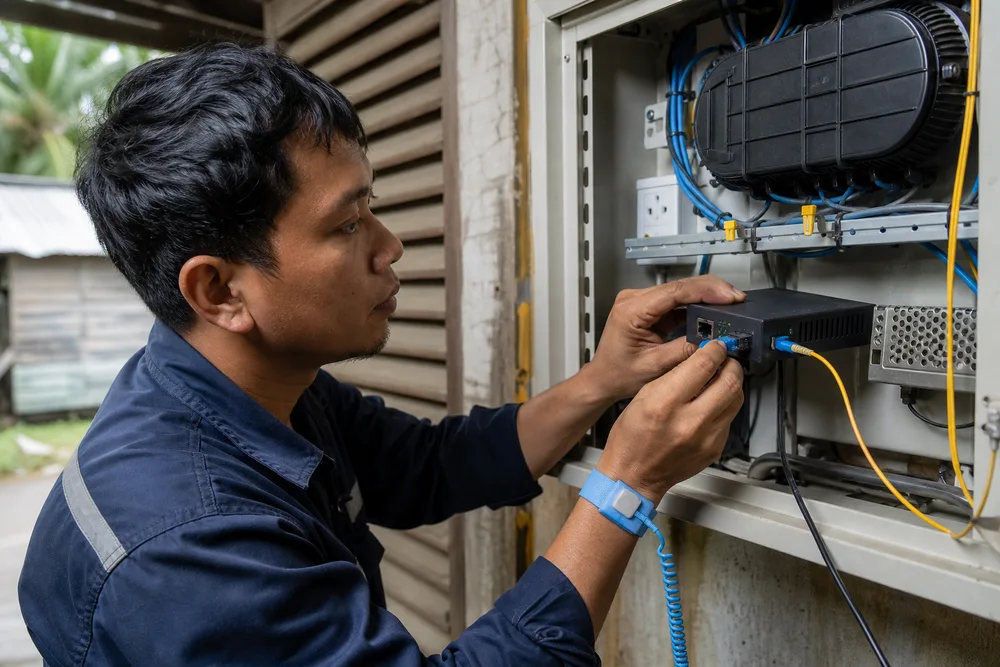
Key Takeaways: Configure a 1×10/100Base-TX to 1×100Base-FX/SFP Converter Without Compatibility Risk
- Match the copper equipment’s actual operating speed to the converter’s Fast Ethernet capability; OPT-1100 is intended for 10/100 Mbps copper-to-100 Mbps fiber links.
- Select multimode, single-mode, or BiDi/WDM fiber only after checking the installed cable type, available strands, required reach, and equipment at the far end.
- A fixed-fiber model suits a known, repeatable design. An empty SFP-slot version is the better choice where fiber requirements may change or stock needs to cover several jobs.
- BiDi/WDM links require complementary wavelengths at opposite ends. Two identical BiDi optics are not a pair.
- Use standalone units for scattered endpoints; use the OPT-R14 19-inch chassis where several converters are concentrated and technicians need a cleaner service layout.
Start with the existing endpoint, not the catalog. Check the switch, camera gateway, PLC interface, wireless bridge, or controller that will connect to the RJ-45 port. If it is a Fast Ethernet device, the copper side is in scope. If it requires a gigabit uplink, this is the wrong converter class; adding fiber does not turn a 100 Mbps conversion path into a gigabit path.
The first use of the OPT-1100 Series name matters because it identifies OPTONE’s Fast Ethernet conversion family built around a single 10/100Base-TX electrical port and a single 100Base-FX optical path. In practical network terms, the converter performs media conversion between Ethernet frames carried over twisted-pair copper and the 100 Mbps fiber physical layer. It is not a bandwidth upgrader, router, or traffic-management appliance. That distinction prevents a common procurement mistake: specifying a fiber converter to solve a switching, VLAN, PoE, or capacity problem that belongs elsewhere in the design.
Before ordering, document both ends of the link and the installed fiber plant. It takes minutes. Replacing mismatched optical hardware after a contractor has closed a riser or roadside duct takes rather longer.
OPTONE OPT-1100 Series: One Fast Ethernet Copper Port, One Fiber Uplink, and Flexible Deployment
The OPT-1100 format is deliberately simple. One RJ-45 10/100Base-TX port accepts the local copper Ethernet connection. One 100Base-FX fiber interface carries the link onward, either through a fixed optical connector format or through an SFP slot, depending on model. That is the right architecture for extending a single legacy Ethernet endpoint over fiber, particularly where installing an additional access switch would add cost, power requirements, and another management point.
OPTONE offers the range in commercial, industrial, PoE, WDM, Fast Ethernet, Gigabit, and 10G categories. The product discussed here sits in the Fast Ethernet group. Buyers should not blur those families together. A higher-speed switch upstream does not mean every remote endpoint needs a gigabit converter, but it does mean you must understand where the 100 Mbps segment becomes the limiting link. For a controller, access device, or a lightly loaded remote office connection, that may be entirely acceptable. For aggregated video traffic, it may not be.
The OPT-1100 series supports fixed-fiber and SFP-oriented deployment choices, with multimode, single-mode, and BiDi/WDM variants described by OPTONE. Stated optical-distance options across the series run from 2 km to 120 km, but distance should never be selected as a headline number alone. The actual installed cable, patching, splices, connector cleanliness, and optical pair at the other end determine whether a link is viable.
For product-specific options, review the OPTONE OPT-1100 Fast Ethernet media converter range with the site’s fiber schedule in hand. That is how you avoid ordering a technically valid model that does not suit the cable already in the ground.
OPT-1100 Model Selection Table: Fixed SC/ST/FC Fiber Interfaces vs Empty Fast Ethernet SFP Slot
Fixed-optics and SFP-based fiber media converters solve the same copper-to-fiber problem, but they suit different buying patterns. Fixed-interface models make sense when the link design is settled: you know the fiber type, connector family, strand availability, and reach requirement. They reduce the number of separate items to specify and can be convenient for repeat deployments with identical site drawings.
An empty SFP slot changes the purchasing logic. It lets you select the optical module separately, so one converter platform can be adapted to different fiber types or reaches as a project develops. That flexibility is useful for system integrators supporting mixed estates, or for distributors carrying stock for campuses and industrial sites that do not share one standard cable plant. It also creates one extra compatibility checkpoint: the SFP must be a 100 Mbps fiber module appropriate to the converter and must match the optical scheme at the other end.
| Selection point | Fixed SC/ST/FC fiber interface | Empty Fast Ethernet SFP slot |
|---|---|---|
| Best fit | Standardised, repeatable links with known fiber details | Mixed sites, changing requirements, or stocked spares |
| Optics decision | Specified as part of the converter variant | Specified through the selected Fast Ethernet SFP |
| Connector planning | Choose SC, ST, or FC to suit the patching arrangement | Confirm the SFP connector and patch lead arrangement |
| Main trade-off | Simpler bill of materials, less later flexibility | More flexible, but requires disciplined module matching |
| Common failure | Ordering the wrong fixed fiber variant for the installed cable | Using an unsuitable speed, wavelength, or BiDi partner SFP |
Connector preference alone should not decide the model. An FC connector may be familiar to a contractor, for example, but the bigger questions are fiber mode and optical pairing. Work from the as-built cable record and far-end hardware outward, then decide how much future flexibility the site genuinely needs.
How to Select the Right Fiber Media Converter: Copper Speed, Fiber Type, Strand Count, Distance, Wavelength, and Format
Selection becomes straightforward once you follow the link from the local device to the remote device. Do not start by choosing the longest-distance option on a price sheet. That often leads to a mismatch with the installed fiber or an unnecessary optical budget that is harder to manage over a short, clean run.
- Confirm the copper endpoint. Identify its Ethernet speed and the function it performs. The OPT-1100 is for 10/100Base-TX on copper and 100Base-FX on fiber, so confirm that Fast Ethernet is appropriate for the application.
- Read the fiber record. Establish whether the route is multimode or single-mode. If the documentation is missing, test or inspect the plant before committing to optics.
- Count usable strands. Conventional duplex fiber needs two paths, one for transmit and one for receive. A BiDi/WDM design can use one strand, but both ends must use complementary optics.
- Check the physical route. Consider the cable length, patch panels, splices, connector count, and any existing attenuation concerns. Choose the optical option for the real route, not a map estimate.
- Match wavelength and interface format end to end. Fixed fiber interfaces and SFP modules must form a compatible optical pair. For BiDi, verify the transmit and receive wavelength relationship at both ends.
- Choose enclosure format. Use standalone converters for individual locations or the compatible OPT-R14 chassis for concentrated multi-link installations.
This sequence catches most field errors before hardware arrives. It also makes quotes cleaner because the supplier can identify the correct fixed-fiber or SFP path rather than offering a vague “single-mode converter” that still leaves wavelength and connector questions unanswered.
One overlooked issue is the far-end device. A copper-to-fiber converter link has two optical ends. If one end is a switch with an SFP port rather than another converter, its port must support the required 100 Mbps fiber operation and use an optical module that pairs correctly. Physical fit is not proof of Ethernet or optical compatibility.
Multimode, Single-Mode, and BiDi/WDM Fiber Options for Southeast Asian Network Extensions
Multimode fiber is commonly encountered inside buildings and across shorter campus sections. Single-mode fiber is more typical for longer outdoor runs, inter-building routes, and carrier-style infrastructure. Those are useful starting points, not rules. Southeast Asia contains decades of mixed construction: office towers with old multimode risers, logistics parks with single-mode duct routes, resorts with undocumented fibers between blocks, and industrial compounds that have been extended in phases. Trust the cable record or a proper test, not the colour of a patch lead.
OPTONE lists multimode, single-mode, and BiDi/WDM choices for the OPT-1100 family, including stated distance options from 2 km to 120 km. The correct choice depends on the optical plant. Multimode and single-mode are not interchangeable. Connecting the wrong optical type may result in no link, unstable operation, or a link that appears acceptable during commissioning and fails after connectors age or a panel is disturbed.
BiDi, also called WDM in this context, is valuable where only one fiber strand is available. It sends traffic in opposite directions using different wavelengths on the same strand. This is useful in constrained duct routes, leased dark fiber, older buildings with depleted cores, and retrofit projects where pulling a second strand is expensive. The trade-off is stricter inventory control. Label both ends clearly. A technician who swaps a BiDi unit with a visually similar unit using the same wavelength will not restore service.
Before choosing a one-fiber design, inspect the full path. A spare strand may exist but be unavailable due to a damaged splice, shared service, or an unrecorded cross-connect. The right answer is the option that matches what you can actually patch today and maintain next year.
Standalone Converter or OPT-R14 19-Inch Chassis: Choose the Right Format for Site Quantity and Maintenance
A standalone fiber media converter is the sensible answer for one remote endpoint. Put it near the local device, provide the required power arrangement, protect the patch lead from strain, and leave enough access for link checks and replacement. This works well for a remote building, a gatehouse, an individual industrial machine area, or a single transport-system enclosure.
Scattered standalone units become harder to service when a project grows. A rack with many loose power adapters, unlabeled patch leads, and converters from different generations is a familiar failure pattern. It does not always fail electrically; it fails operationally. During an outage, technicians spend time identifying which unit belongs to which route and which spare actually matches it.
For concentrated deployments, the OPT-1100 series is compatible with the OPT-R14 19-inch chassis. A chassis approach is appropriate where multiple Fast Ethernet conversion links terminate in one equipment room, telecom cabinet, campus distribution point, or control centre. It creates a more orderly physical layout and gives the operations team one place to inspect, label, and replace modules. The benefit is not abstract neatness. It shortens fault isolation when several similar links are present.
Choose based on the number and geography of links, not solely on unit cost. A chassis is not economical for one far-flung endpoint; multiple standalone units are not always economical once labour, rack space, spare handling, and troubleshooting time are counted. Keep the deployment model consistent where possible, and record every fixed interface or SFP selection in the site handover documents.
Deployment Uses in Southeast Asia: Campus, Enterprise, ISP, Industrial, Transportation, and Remote-Building Networks
On a campus, a Fast Ethernet media converter is often used to extend an existing network connection from a main building to a library annex, guard post, student residence, utility room, or car-park office. Fiber protects the inter-building segment from the electrical and distance issues that make copper unsuitable outdoors. The converter can preserve a working 10/100 Mbps endpoint without forcing a full edge-switch replacement.
Enterprise sites use this arrangement for legacy equipment that is still operational but needs a longer or more resilient physical path. Industrial deployments are another natural fit. Motors, drives, welding equipment, and long building-to-building runs can create an unfriendly environment for copper Ethernet. Fiber removes the conductive connection between locations, although the surrounding enclosure, power source, temperature exposure, dust, and maintenance access still need their own design review. A media converter does not make an unsuitable cabinet suitable.
ISPs and managed-service providers may encounter Fast Ethernet handoffs or customer-side equipment where a simple copper-to-fiber extension is needed. Transportation and municipal systems often have remote cabinets, station rooms, tolling equipment, or roadside locations connected back to a control room over fiber. In each case, the practical questions remain the same: what speed is required, what fiber is installed, and what can the maintenance team replace without ambiguity?
For remote-building projects, standardise labels on the converter, patch panel, and far-end unit. State the fiber mode, connector or SFP identification, and BiDi partner relationship where relevant. This small discipline matters in humid, high-turnover sites where field replacements are often done under time pressure.
Fiber Media Converter FAQ: Can a 100 Mbps Converter Connect to Gigabit Equipment? Which BiDi Wavelengths Must Be Paired? When Should I Choose an SFP Version?
Can a 100 Mbps converter connect to gigabit equipment?
Yes, but only where the connection is operating at a compatible Fast Ethernet speed. The OPT-1100 provides a 10/100Base-TX copper interface and a 100Base-FX fiber path; it does not provide a gigabit fiber uplink. A gigabit-capable switch may connect successfully if its relevant port can operate as required for the 100 Mbps link. Do not assume that an SFP cage, RJ-45 port, or switch model will automatically support every lower-speed mode. Check the switch port specification and intended configuration before purchase. If the application needs a true 1 Gbps path, select a Gigabit media converter family instead.
Which BiDi wavelengths must be paired?
BiDi/WDM optics work as complementary pairs. One end transmits on one wavelength and receives on the other; the far end does the reverse. The precise wavelength pairing must be confirmed from the relevant OPTONE model or SFP documentation. Never order two identical BiDi units simply because they are both described as single-fiber modules. They need to be the designated A/B pair. Keep the pair together in stock, label the endpoints, and include the wavelength relationship in the circuit record.
When should I choose an SFP version?
Choose the SFP version when you need flexibility across projects, when the fiber type or required reach varies between sites, or when you want to retain a common converter chassis while changing optics. It is also useful where spare stock must cover several cable environments. Choose a fixed-fiber version when the route is standardised and fully known, and you want a simpler one-piece item. In either case, the optical interface must match the far end. Review the OPT-1100 fixed-fiber and SFP options against your fiber schedule before issuing a purchase order.
Request a B2B Quote or Buy an OPTONE OPT-1100 Fiber Media Converte
Send the details that determine compatibility: copper endpoint speed, installed fiber mode, number of available strands, approximate route condition, connector preference, required reach, and whether the far end is another converter or an SFP-equipped switch. If you are considering BiDi/WDM, specify that explicitly and identify the required partner at the opposite end. For a multi-site rollout, add the number of links, whether units will be standalone or rack-mounted, and your preference for fixed interfaces or SFP flexibility.
This information lets OPTONE or your sourcing partner propose a usable bill of materials rather than a generic converter part number. It also makes it easier to establish sensible spare stock: paired BiDi units where single-fiber routes are used, compatible SFPs for flexible installations, and clearly identified replacements for fixed-fiber endpoints. For larger deployments, ask about the OPT-R14 chassis alongside the converter selection so the rack layout is decided before installation starts.
Use the official product page to review the available 1×10/100M TX and 1×100M FX/SFP fiber media converter options, then submit the site details with your quote request. That is the quickest route to an end-to-end optical pairing that can be installed and supported properly.
Specify Your OPT-1100 Link Correctly
Bring your fiber type, strand count, far-end interface, required reach, and preferred deployment format. OPTONE can help align the converter variant or Fast Ethernet SFP choice with the actual site conditions.
Need help selecting the right product?
Share your switch platform, link distance and quantity with an OPTONE engineer.
Talk to an Engineer →